
Fugoo Tough XL Case Replacement

Abdul and 9 other contributors
Last updated on Oct 18, 2026
Views: 1.3K
View statistics:
- Past 24 Hours:
- 0
- Past 7 Days:
- 11
- Past 30 Days:
- 75
- All Time:
- 1,341
Comments: 0
No one has left comments on this guide. Will you be first?
Go to guide commentsCompleted: 1 2
1 person has marked this guide "completed." Will you be next?
2 people have marked this guide "completed." Including you — great job!
Favorites: 0 1
No one has favorited (and subscribed to) this guide. Will you be the first?
1 person has favorited (and subscribed to) this guide — and that's you!
Needs More Images
A few more images would make this guide's procedures crystal clear.
Missing Steps
Oops! This guide is currently missing one or more important steps.
Better Introduction
Improve this guide by completing or revising its introduction.
Student In Progress
This guide is being worked on by hardworking students.
Introduction
Go to step 1 ↓The Fugoo Tough XL speaker has an external shell that can be removed to make necessary repairs.
What you need
Tools


-
-
-
There are four 3 mm screws located at each corner of the device
-
Using a 3 mm hex screwdriver remove all four of the screws on the device
 Ask FixBot
-
-
-
use force if necessary
-
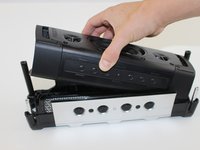
Pull on along the outer casing until it becomes loose and then remove it
-
Refer to diagrams for assistance
-
-
-
Remove the internal device from the outer casing.
-
There are four twelve mm screws on each corner of the device
-
Remove the four 12 mm screws on each corner using a T10 Torx screwdriver.
-
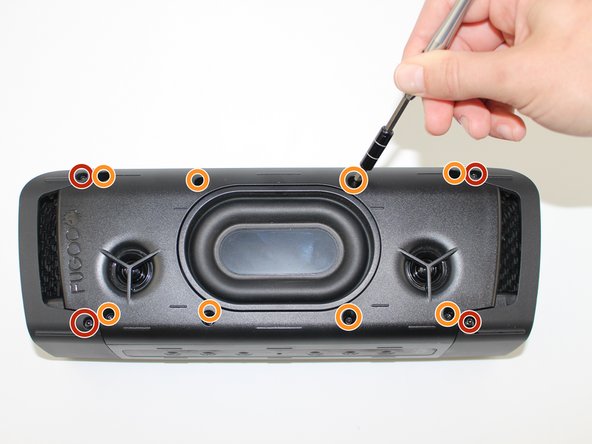
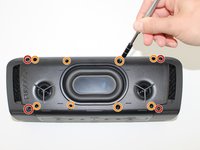
There are right six mm screws on the top and the bottom of this device
-
Remove the eight 6 mm screws on the top and bottom using a T10 Torx screwdriver.
-
-
-
Use your hands to gently remove the side plates.
-
Using your hands pry and remove the side plates on the device
-
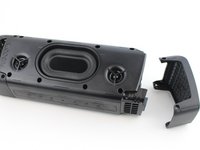
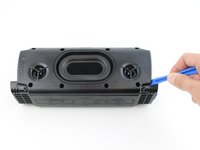
Pry off the back plate with the Fugoo trademark it's recommended to use a tool for this.
-
-
-
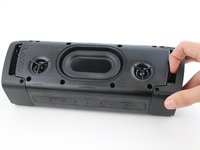
Slowly pull the front casing from the back casing. Avoid putting any tension on the connected cables.
-
Pull the front casing away from the back, do not apply tension to any of the connected cables
-
-





To reassemble your device, follow these instructions in reverse order.
Cancel: I did not complete this guide.
One other person completed this guide.

Team

USF Tampa, Team S19-G1, Hoffman Spring 2017 Member of USF Tampa, Team S19-G1, Hoffman Spring 2017
USFT-HOFFMAN-S17S19G1
4 Members
60 Guides authored
