
Fugoo Tough Power Button Replacement

Daniel and 2 other contributors
Last updated on Jun 9, 2019
Views: 908
View statistics:
- Past 24 Hours:
- 3
- Past 7 Days:
- 20
- Past 30 Days:
- 93
- All Time:
- 908
Comments: 2
2 guide comments.
Go to guide commentsCompleted: 0 1
No one has marked this guide "completed." Will you be the first?
1 person has marked this guide "completed." It's you — great job!
Favorites: 0 1
No one has favorited (and subscribed to) this guide. Will you be the first?
1 person has favorited (and subscribed to) this guide — and that's you!
Needs More Images
A few more images would make this guide's procedures crystal clear.
Better Introduction
Improve this guide by completing or revising its introduction.
Missing Details
Some of this guide's details are missing. Help users by adding tools, difficulty, or time.
What you need
Tools


-
-
-
Begin by unscrewing the four 10.72 mm corner screws using the Hex 2.0 screwdriver.
-
Using the Hex 1.5 screwdriver, remove the remaining six 5.79 mm screws on the front of the speaker.
-
Pull the front part of shell away from the back part of shell.
 Ask FixBot
-
-
-
Change to the h1.3 head. Remove all four 5.57mm screws on both speaker covers.
-
Pull on the speaker covers to remove them.
-
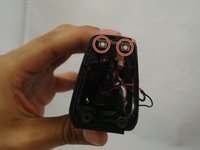
Rotate the speaker 180 degrees and then remove the four 5.57 mm screws on the side speaker that has the power/bluetooth buttons.
-
Pull apart the side speaker and its casing away from the body of the Fugoo.
-
-
-
-
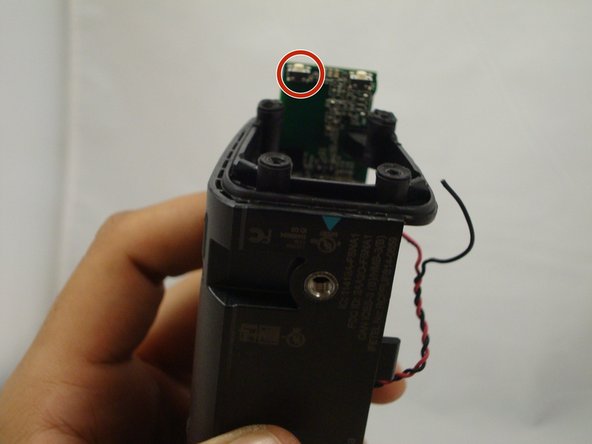
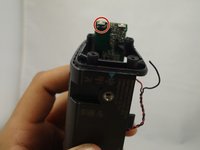
After pulling apart the side speaker and its casing, you will see both the power and Bluetooth buttons on the underside of the circuit board.
-
Desolder the power button and replace it on the motherboard.
-
-


To reassemble your device, follow these instructions in reverse order.

Team

Eastern Washington University, Team 1-2, Mathisen Winter 2017 Member of Eastern Washington University, Team 1-2, Mathisen Winter 2017
EWU-MATHISEN-W17S1G2
4 Members
60 Guides authored
