
Fugoo Tough Battery Replacement

Alicia Edwards and 2 other contributors
Last updated on Jun 9, 2019
Views: 5.5K
View statistics:
- Past 24 Hours:
- 5
- Past 7 Days:
- 36
- Past 30 Days:
- 112
- All Time:
- 5,460
Comments: 10
10 guide comments.
Go to guide commentsCompleted: 0 1
No one has marked this guide "completed." Will you be the first?
1 person has marked this guide "completed." It's you — great job!
Favorites: 1 2
1 person has favorited (and subscribed to) this guide. Will you be next?
2 people have favorited (and subscribed to) this guide — including you!
Introduction
Go to step 1 ↓This guide shows how to remove and replace the battery of the Fugoo Tough.
What you need
Tools


-
-
-
Begin by unscrewing the four 10.72mm corner screws using the Hex 2.0 screwdriver.
-
Using the Hex 1.5 screwdriver, remove the remaining six 5.79mm screws on the front of the speaker.
-
Pull the front part of shell away from the back part of shell.
 Ask FixBot
-
-
-
Change to the h1.3 head. Remove all four 5.57mm screws on both speaker covers.
-
Pull on the speaker covers to remove them.
-
Rotate to side the speaker that has the charging port. Remove the four 5.57mm screws facing you.
-
Rotate the speaker 180 degrees and then remove the four 5.57 screws on the side speaker that has the power/bluetooth buttons.
-
-
-
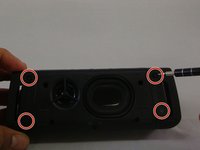
Have back of speaker facing you, remove 5-12.70mm screws using 1/16 flat head screwdriver.
-
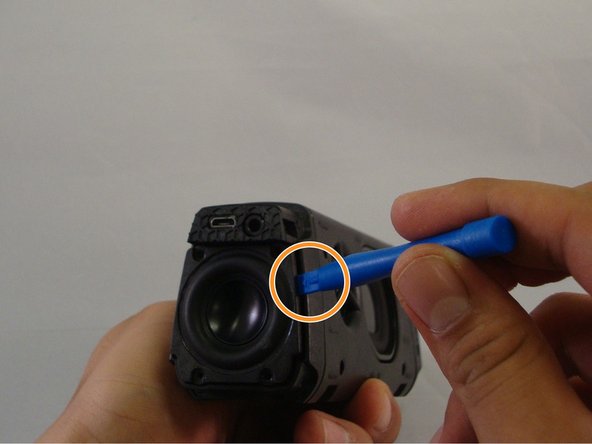
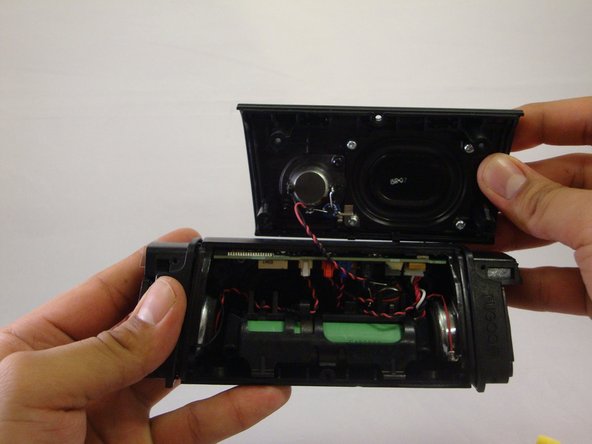
Using the plastic opening tool, you will be able to wedge back face of speaker off.
-
-
-
-
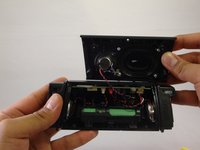
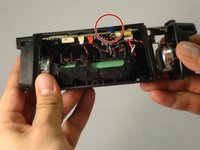
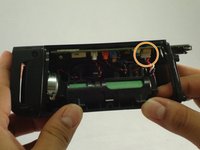
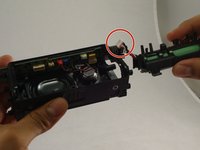
Remove the blue "clip" from the mother board, then pull the on the speaker and remove it, to give you more room to work
-
Gently pull down on the largest bundle of wires connected to the mother board by a white clip.
-
The battery can now be replaced
-
-




To reassemble your device, follow these instructions in reverse order.

Team

Eastern Washington University, Team 1-2, Mathisen Winter 2017 Member of Eastern Washington University, Team 1-2, Mathisen Winter 2017
EWU-MATHISEN-W17S1G2
4 Members
60 Guides authored
10 Guide Comments
what are the battery specs? where can one be purchased?
Update: Success! Worked beautifully. I'll put together some pix I took to wrap it up. If you kinda put it together and test it but the bass is all gone, give it a squeeze. Bass doesn't really show back up til you put screws back in.
What battery did you get? 18650? maH?
