
Frigidaire Refrigerator Light Socket Replacement

elichristenbury56 and 3 other contributors
Last updated on Jun 25, 2024
Views: 6.3K
View statistics:
- Past 24 Hours:
- 9
- Past 7 Days:
- 34
- Past 30 Days:
- 142
- All Time:
- 6,260
Comments: 0
No one has left comments on this guide. Will you be first?
Go to guide commentsCompleted: 1 2
1 person has marked this guide "completed." Will you be next?
2 people have marked this guide "completed." Including you — great job!
Favorites: 0 1
No one has favorited (and subscribed to) this guide. Will you be the first?
1 person has favorited (and subscribed to) this guide — and that's you!
Bullets!
Better coordination with markups and the color/type of bullets will help make this guide more clear!
Community-Contributed Guide
An awesome member of our community made this guide. It was not created by iFixit staff.
Better Introduction
Improve this guide by completing or revising its introduction.
What you need
Parts
Tools


-
-
-
Unplug the refrigerator from the wall socket. A plug will usually be behind the refrigerator.
-
Have your tools nearby for a smoother process.
 Ask FixBot
-
-
-
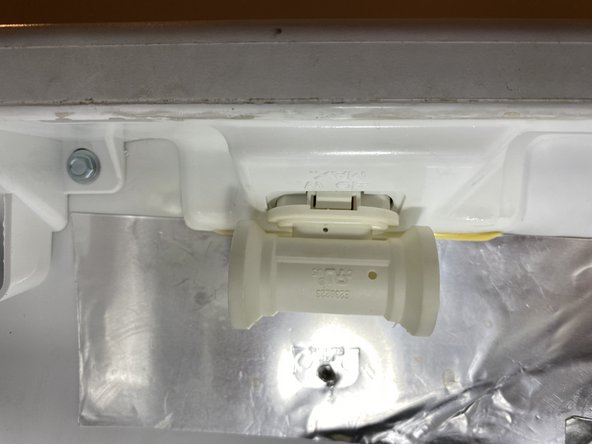
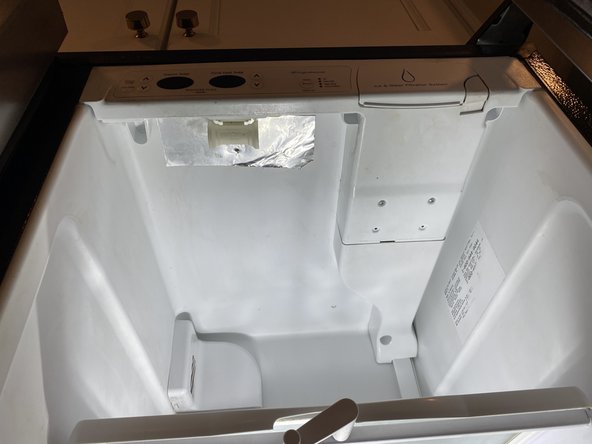
Next, you will locate the light socket. In this instance, it is behind the control panel at the top of the fridge.
-
Remove the light bulbs from the receptacle.
-
-
-
After light bulbs are removed, you will locate the small slit near the base of the light socket.
-
Insert the flathead screwdriver into the gap and turn it until the socket pops out.
-
Pull the socket out. It will still be attached to wires but there will be enough slack in them to pull out 4-6 inches.
-
-
-
Using the needle nose pliers, gently clamp the plastic fitting (not the wire) and wiggle the connections loose.
-
-
-
-
Gently reattach the two wires in the same configuration in which they were originally.
-
After the connections are secure, push the excess wire back into the hole and push the socket back into place.
-
You will push the socket in until you hear 2 audible clicks. Check to make sure it is seated fully and secured.
-
-
-
Replace lightbulbs and plug the refrigerator back in.
-
-




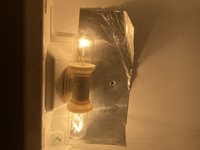

If lights do not come on, check to make sure the bulbs are good. If the lightbulbs are good then repeat steps 1-3 and check to see if the electrical fittings are loose. If electrical fittings wiggle or fall off of the socket connectors then crimp them closed slightly and reattach them to the socket.
Cancel: I did not complete this guide.
One other person completed this guide.

