Free Shipping on Domestic Orders $75+

Framework Laptop 12 Display Cover Replacement

Views: 483

View statistics:

Past 24 Hours:
1
Past 7 Days:
11
Past 30 Days:
64
All Time:
483
Comments: 0

No one has left comments on this guide. Will you be first?

Go to guide comments
Completed: 0

No one has marked this guide "completed." Will you be the first?

Favorites: 0

No one has favorited (and subscribed to) this guide. Will you be the first?

Time Required: 1 - 5 minutes
Difficulty: Easy
OEM Guide

iFixit collaborated with the manufacturer to make this guide.

Framework Laptop 12 Display Cover Replacement

Introduction

Go to step 1 ↓

Follow this guide to remove and replace the Display Cover in your Framework Laptop 12.

The Display Cover is the plastic bezel strip below the screen. You can easily replace a broken one or swap out a different colored one.

    1. Framework Laptop 12 Display Cover Replacement, Open your laptop: step 1, image 1 of 2 Framework Laptop 12 Display Cover Replacement, Open your laptop: step 1, image 2 of 2
      • Open the laptop lid so that both the screen and the base lie flat on your work surface.

      Ask FixBot

      Add Comment

    2. Framework Laptop 12 Display Cover Replacement, Remove the Display Cover: step 2, image 1 of 2 Framework Laptop 12 Display Cover Replacement, Remove the Display Cover: step 2, image 2 of 2
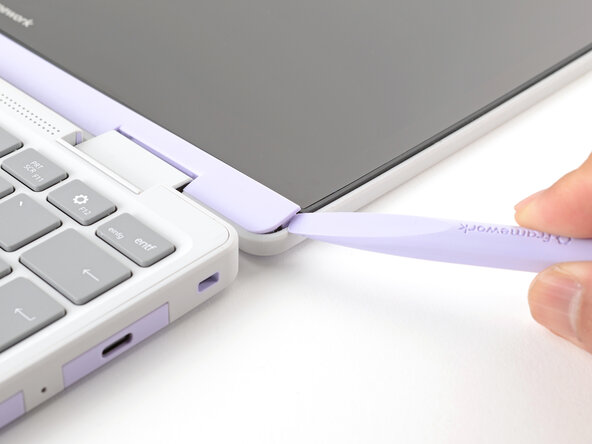
      • The Display Cover is held in place with magnets along the top edge and clips along the remaining edges.

      • Use the flat end of your Framework Screwdriver to pry up the right edge of the Display Cover.

      Ask FixBot

      Add Comment

    3. Framework Laptop 12 Display Cover Replacement: step 3, image 1 of 3 Framework Laptop 12 Display Cover Replacement: step 3, image 2 of 3 Framework Laptop 12 Display Cover Replacement: step 3, image 3 of 3
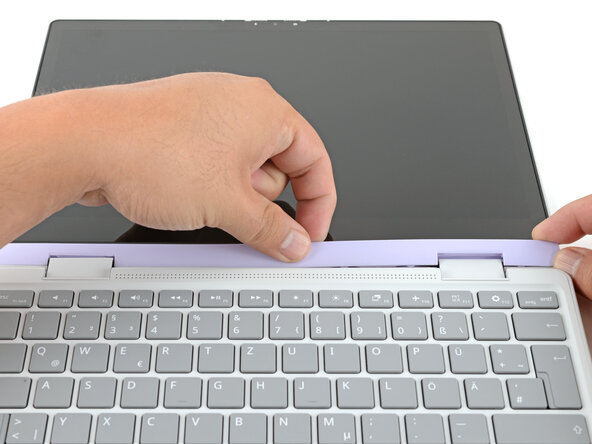
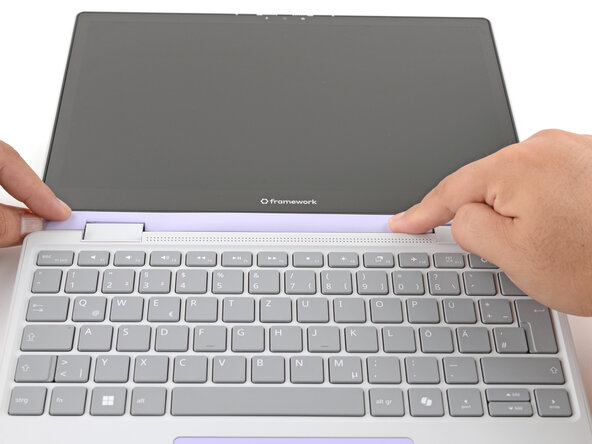
      • Slide your fingers under the top edge of the Display Cover to release it from the laptop.

      Ask FixBot

      Add Comment

    4. Framework Laptop 12 Display Cover Replacement: step 4, image 1 of 2 Framework Laptop 12 Display Cover Replacement: step 4, image 2 of 2
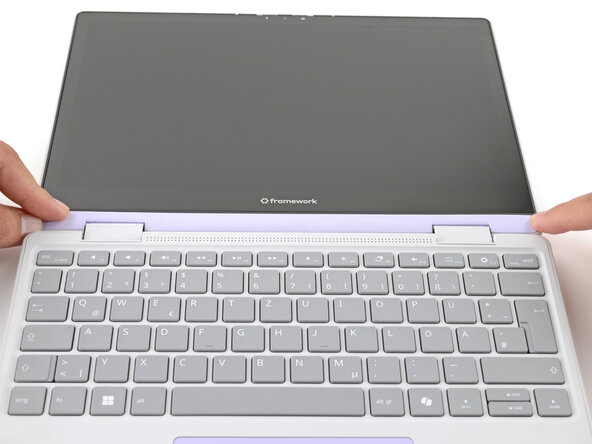
      • Remove the Display Cover.

      Ask FixBot

      Add Comment

    1. Framework Laptop 12 Display Cover Replacement, Disassembly complete: step 5, image 1 of 1
      • Congratulations on completing disassembly! The remaining steps will show how to reassemble your Framework Laptop.

      Ask FixBot

      Add Comment

    1. Framework Laptop 12 Display Cover Replacement, Install the Display Cover: step 6, image 1 of 2 Framework Laptop 12 Display Cover Replacement, Install the Display Cover: step 6, image 2 of 2
      • Align the Display Cover to the bottom of the display.

      Ask FixBot

      Add Comment

    2. Framework Laptop 12 Display Cover Replacement: step 7, image 1 of 2 Framework Laptop 12 Display Cover Replacement: step 7, image 2 of 2
      • Use your finger to press along the length of the Display Cover to snap it onto the laptop.

      • Make sure all the clips along the left, top, and right edges are fully seated.

      Ask FixBot

      Add Comment

Conclusion

You finished fixing your Framework Laptop!

If you need help, contact Framework support.

Cancel: I did not complete this guide.

Arthur Shi

Member since: 01/03/18

351,644 Reputation

937 Guides authored

Team

Guide Team Member of Guide Team

Staff

10 Members

62,142 Guides authored

0 Guide Comments

Add Comment

View Statistics:

Past 24 Hours: 1

Past 7 Days: 11

Past 30 Days: 64

All Time: 483