Introduction
This repair guide will show you how to replace the battery on a Fossil Q Marshal Gen 2 smartwatch. Be careful not to damage the wiring or the metal connectors on your smartwatch.
What you need
-
Tool used on this step:Tweezers$4.99
-
Squeeze retaining pins together to release chain from watch body. This can be done by hand or with tweezers.
-
Remove chain from opposing side of watch body.
 Ask FixBot
-
-
-
Use tweezers to grip the notches on the back cover, then unscrew the back cover (counter-clockwise) from the watch housing.
-
-
-
Utilize tweezers or a spudger or your fingers to pull the black wire connector from the motherboard.
-
Utilize a spudger to pull the orange connector off of the motherboard.
-
-
-
-
The internal electronics can now be pulled out of the watch as one unit leaving the screen remaining in the watch housing.
-
Taking the flat end of the spudger, pry it up.
-
-
-
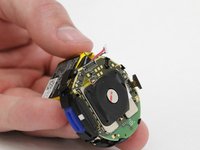
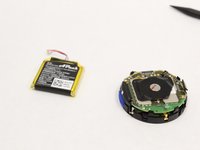
The battery is secured to the back of the motherboard utilizing a sticky pad. Gently separate the battery from the board while making sure not to put too much stress on the board. This is best done at the location shown.
-
-
-
Remove battery from plastic housing.
-
Slip wires through large slot in plastic housing to completely remove.
-


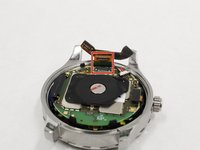


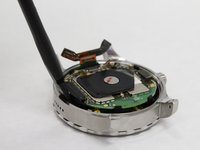
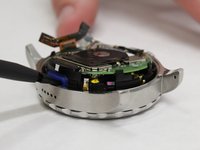
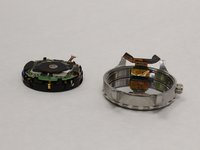


To reassemble your device, follow these instructions in reverse order.
Cancel: I did not complete this guide.
16 other people completed this guide.

Team

IUPUI, Team S2-G5, Harley Fall 2017 Member of IUPUI, Team S2-G5, Harley Fall 2017
IUPUI-HARLEY-F17S2G5
3 Members
6 Guides authored
13 Guide Comments
I have read your awesome guide. This is really helpful.
thank you, i did it. But now what. i have no idea where to buy the spare part. hahaha. Help Me :(
I have the exact same battery I need to replace. easy to take out but where do I get the replacement battery??
Help! I can’t find a replacement battery.
