Introduction
If your Flydigi Vader 4 Pro does not vibrate as expected during gameplay, this guide can be used to replace the console's vibration motors. Vibration motors are located in the grips of the console and should vibrate according to gameplay impact-unless vibration settings are specifically changed with the Flydigi Space Station software. It is important to note that in Step 4 the vibration motor's JST-PH connector may be difficult to disconnect. Use a gentle hand when disconnecting.
What you need
-
-
Remove the four 10 mm screws on the rear case using a Phillips #0 screwdriver.
 Ask FixBot
-
-
-
Insert an opening pick into the seam between the rear and front case.
-
Pry around the perimeter of the controller.
-
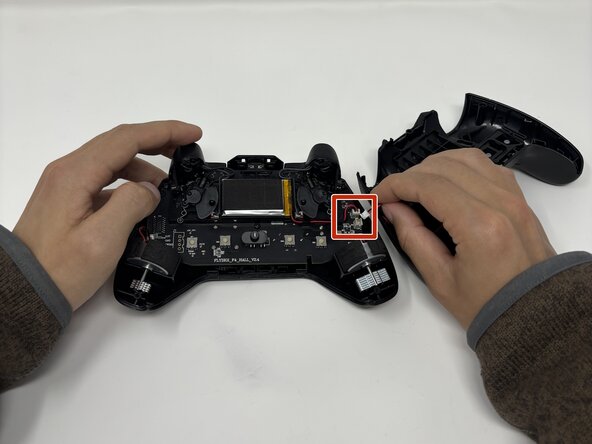
Remove the rear case and set it to the side of the front case, with care not to strain the connected cable.
-
-
-
-
Disconnect each of the two vibration motor connectors.
-
Remove the vibration motors.
-




To reassemble your device, follow the above steps in reverse order.
Take your e-waste to an R2 or e-Stewards certified recycler.
Repair didn’t go as planned? Try some basic troubleshooting or ask our Answers community for help.
Cancel: I did not complete this guide.
One other person completed this guide.

Team

Utah Tech University, Team 1-2, McMurrin Spring 2026 Member of Utah Tech University, Team 1-2, McMurrin Spring 2026
UTAHTECH-MCMURRIN-S26S1G2
3 Members
6 Guides authored
