
Flip Video LCD Screen

Elizabeth and 5 other contributors
Last updated on Feb 19, 2016
Views: 5.9K
View statistics:
- Past 24 Hours:
- 5
- Past 7 Days:
- 22
- Past 30 Days:
- 110
- All Time:
- 5,932
Comments: 0
No one has left comments on this guide. Will you be first?
Go to guide commentsCompleted: 1 2
1 person has marked this guide "completed." Will you be next?
2 people have marked this guide "completed." Including you — great job!
Favorites: 2 3
2 people have favorited (and subscribed to) this guide. Will you be next?
3 people have favorited (and subscribed to) this guide — including you!
Introduction
Go to step 1 ↓This guide will show you how to disassemble your flip video and replace the LCD screen.
What you need
Tools
-
Spudger4.9


-
-
-
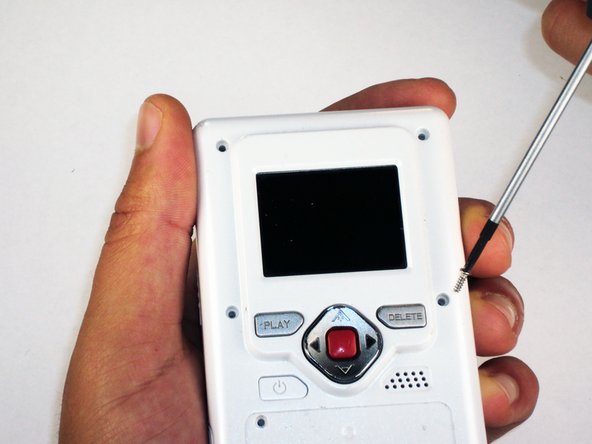
Remove the 4 gray screw caps with the spudger. These cover the screw heads and protect from dirt or grime.
-
-
-
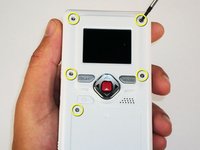
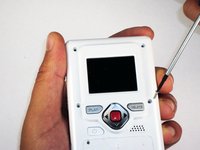
Remove the 5 10mm screws with the #00 Phillips screwdriver. These connect the back of the outer shell to the front of the outer shell.
-
-
-
Open battery door. This can be done by gently depressing and sliding the battery down downward.
-
-
-
Use the spudger to separate outer shells.
-
The spudger must be inserted between the shell halves to pry the edges apart.
-
Slowly work around the outside to separate the halves.
-
-
-
-
Remove the 3 5mm screws securing the circuit board to the front shell with the #00 Phillips screwdriver.
-
-
-
-
Slide out the battery contacts.
-
Battery contacts
-
Slot where battery contacts were located
-
-
-
-
-
With the LCD screen facing away from you, remove the 2 bronze 3 mm screws securing the LCD using the #00 Phillips screwdriver.
-
-
-
Flip over the circuit board and unlock the two black tabs on the ribbon connector by sliding them upwards.
-
-


 Ask FixBot




To reassemble your device, follow these instructions in reverse order.
Cancel: I did not complete this guide.
One other person completed this guide.

Team

Cal Poly, Team 26-21, Regan Spring 2010 Member of Cal Poly, Team 26-21, Regan Spring 2010
CPSU-REGAN-S10S26G21
4 Members
72 Guides authored
