
Flip Ultra HD USB Latch Spring Replacement

oldturkey03 and one other contributor
Last updated on Feb 19, 2016
Views: 1.5K
View statistics:
- Past 24 Hours:
- 3
- Past 7 Days:
- 22
- Past 30 Days:
- 85
- All Time:
- 1,465
Comments: 0
No one has left comments on this guide. Will you be first?
Go to guide commentsCompleted: 1 2
1 person has marked this guide "completed." Will you be next?
2 people have marked this guide "completed." Including you — great job!
Favorites: 1 2
1 person has favorited (and subscribed to) this guide. Will you be next?
2 people have favorited (and subscribed to) this guide — including you!
Community-Contributed Guide
An awesome member of our community made this guide. It was not created by iFixit staff.
Introduction
Go to step 1 ↓This Flip Ultra HD had numerous faults. It is well used and needs a bit of work. This repair is straight forward and does not require a lot of tools.
What you need

-
-
-
Here is the Flip Ultra HD and it shows lots of use.
-
The USB latch does not return to the upright position when the USB arm is retracted.
-
Slide the battery latch to unlock
 Ask FixBot
-
-
-
Slide the front panel down and up to remove.
-
Remove the battery by pulling up on the tab
-
Peel the identification sticker back about half way.
-
-
-
-
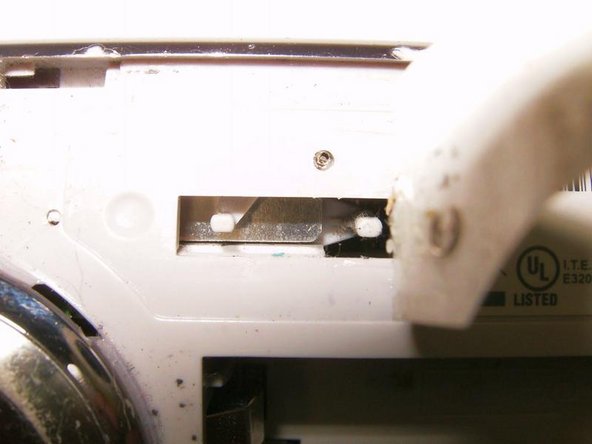
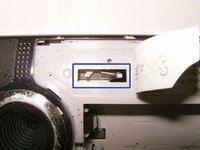
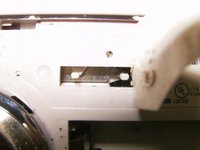
Beneath the sticker is a rectangular opening that houses the spring for the USB latch return. In this case it is clearly broken
-
Use a pair of Needle Nose Pliers to remove and replace the spring
-
-


To reassemble your device, follow these instructions in reverse order.
Cancel: I did not complete this guide.
One other person completed this guide.

