
Fixing a Mode Switch Stuck in Video Mode

Meera and
Last updated on Oct 15, 2026
Views: 140
View statistics:
- Past 24 Hours:
- 4
- Past 7 Days:
- 16
- Past 30 Days:
- 68
- All Time:
- 140
Comments: 0
No one has left comments on this guide. Will you be first?
Go to guide commentsCompleted: 1 2
1 person has marked this guide "completed." Will you be next?
2 people have marked this guide "completed." Including you — great job!
Favorites: 1 2
1 person has favorited (and subscribed to) this guide. Will you be next?
2 people have favorited (and subscribed to) this guide — including you!
Community-Contributed Guide
An awesome member of our community made this guide. It was not created by iFixit staff.
What you need
Tools
-
-
-
-
Plastic bagsOptional


Introduction
Go to step 1 ↓Because the SD1400 IS is so old, its mode switch can get stuck in the video position. When that happens, the camera records only video, and no menu setting will switch it back to photo mode. This could also happen if the camera gets dropped or jammed in some way. Until now, there hasn’t been a clear guide showing where the switch sits inside the camera or how to reach it.
This guide shows you how to open the camera, find the switch, and if it is broken like mine was, figure out what to do. If you can get a replacement part, the same steps should let you install it. [Note: With this fix, the camera takes photos only, and video recording is no longer available until you manually switch it back and vice versa. It is a good temporary fix.]
The guide has a few steps. Every step includes photos so you can follow along even if you don’t read English well.
Difficulty: Moderate
Time required: 15 to 45 minutes
-
-
-
Get the camera and see if any screws are stripped. Make sure you have removed any batteries in the camera.
 Ask FixBot
-
-
-
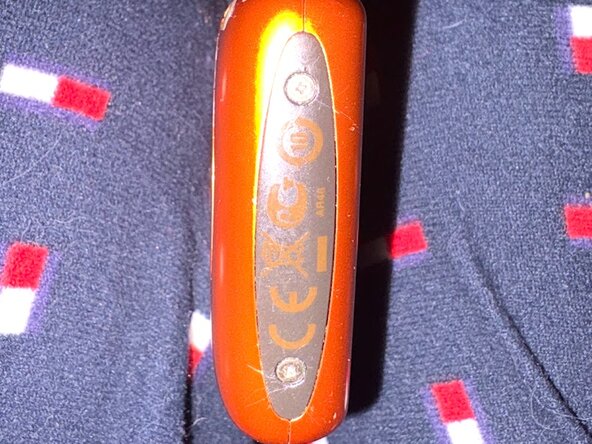
Slowly remove the screws on both sides and store them somewhere safe (plastic bag)
-
-
-
-
Flip the camera to its front side. We do not need the back for the most part.
-
Once you open the front side, the small controls should be loose. you can take that out to make it easier.
-
-
-
Ignore the old dust and stuff, this camera has not been used in 16 years. So now you should see this sliding black crevice.
-
You will now need to see which side corresponds with video or picture. This is based on the buttons on the front side of the camera.
-
-
-
Here is another angle. Once you are able to slide the black button/type of lever, you should be done. I used a toothpick and safety pin just because the safety pin was easier to handle inside the camera.
-
Remember to be gentle and don't push/try too hard. Slow and steady will get it fixed much safer.
-
-
-
You can now easily just put the buttons you took out in step 4, and then close the camera with the screws we kept in the plastic bag. Put in the battery and test it out by taking a picture, everything should work fine now.
-
Congratulations!
-
-



If your Canon PowerShot SD1400 IS (also sold as the IXUS 130 / IXY 400F) only records video and won’t switch back to photo mode, this guide shows you how to open the camera, find the mode switch, and lock the camera into photo mode when a replacement part isn’t available.
Cancel: I did not complete this guide.
One other person completed this guide.
