
Felt Z85 Brake Pad Replacement

Ryan Marschall and 2 other contributors
Last updated on Jul 31, 2026
Views: 1.4K
View statistics:
- Past 24 Hours:
- 2
- Past 7 Days:
- 18
- Past 30 Days:
- 100
- All Time:
- 1,438
Comments: 0
No one has left comments on this guide. Will you be first?
Go to guide commentsCompleted: 0 1
No one has marked this guide "completed." Will you be the first?
1 person has marked this guide "completed." It's you — great job!
Favorites: 1 2
1 person has favorited (and subscribed to) this guide. Will you be next?
2 people have favorited (and subscribed to) this guide — including you!
Markup Mishap
This guide needs better markups. Help out by correcting or making some markup annotations.
Introduction
Go to step 1 ↓The brakes on anything that moves are practically the most important part. One of the most frightening feelings is pulling a brake lever and not getting a response. With this guide I hope to never make this a reality for anyone.
This guide contains information on how to replace the brake pads on a 2013 Felt Z85 Road Bike. This guide only requires one tool (4mm allen key) and is fairly straightforward.
This guide can also be used as a reference for any modern road bike with Dual-Pivot brakes.
What you need

-
-
-
Pull up on brake-release lever to spread pads for easy access.
-
Release lever on the right side of the wheel.
-
Loosen left nut on wheel until wheel comes free.
 Ask FixBot
-
-
-
Locate Brake Caliper.
-
Use 4.0 mm allen key to remove main bolt.
-
Rotate counterclockwise to loosen.
-
Repeat step 2 to remove the pad on the other side.
-
-
-
-
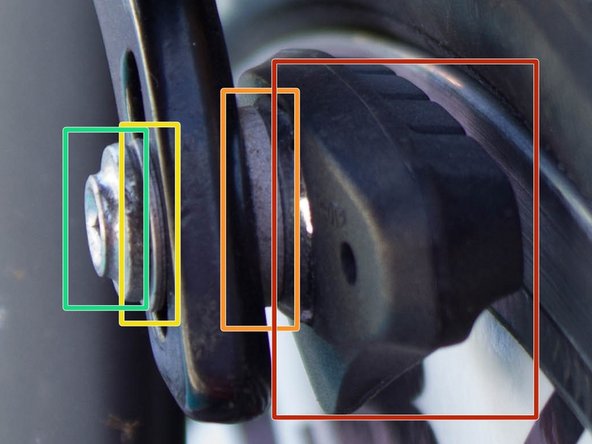
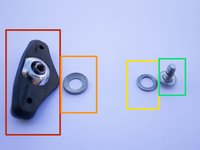
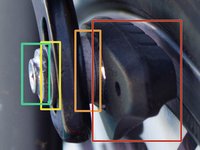
Brake Pad: The item being replaced.
-
Spacer: This item will be reused.
-
Washer: This item will be reused.
-
4 mm hex bolt.
-
-


To reassemble your device, follow these instructions in reverse order.

Team

USF Tampa, Team 1-21, Donnelly Fall 2014 Member of USF Tampa, Team 1-21, Donnelly Fall 2014
USFT-DONNELLY-F14S1G21
1 Member
12 Guides authored
