
Fellowes T7CM Trigger Sensor Replacement

Michael Aldrich and 3 other contributors
Last updated on Dec 23, 2016
Views: 8.3K
View statistics:
- Past 24 Hours:
- 5
- Past 7 Days:
- 39
- Past 30 Days:
- 161
- All Time:
- 8,283
Comments: 1
1 comment on steps.
Completed: 0 1
No one has marked this guide "completed." Will you be the first?
1 person has marked this guide "completed." It's you — great job!
Favorites: 0 1
No one has favorited (and subscribed to) this guide. Will you be the first?
1 person has favorited (and subscribed to) this guide — and that's you!
Mismatched Prerequisites
This guide does not have a proper prerequisite guide. Help match it to its ideal partner by finding it or writing one!
Scenic Route
This guide's procedure isn't the most efficient way to get the job done, but still may be useful in some circumstances.
Introduction
Go to step 1 ↓This guide will show how to remove the trigger sensor in the Fellowes TC7M paper shredder.
What you need


-
-
-
Check to make sure the shredder is not plugged in to any electrical outlet.
-
Remove the shredder from the catch basket and place the silver side down on a flat surface.
-
Place the catch basket aside as you will not be needing it for the rest of the disassembly.
 Ask FixBot
-
-
-
Flip the shredder silver side down and place on a flat even surface.
-
Remove the manufacturer's label in order to gain access to the hidden screw hole.
-
Locate all five of the case screws and remove them with a Phillips-Head screwdriver. The screws are located within the five marked circles in the photo. The size of the screws are 18 mm in length and head diameter of 5 mm.
-
-
-
Once all of the screws are removed, slowly pull apart the casing.
-
If the casing is not separating, gently wiggle the top part of the casing from the bottom part of the casing.
-
-
-
Open the casing as shown to prevent tangling or damaging the wires.
-
Take note to how the trigger assembly is attached before removal.
-
The trigger assembly is one part and should come off all together with little to no force applied.
-
Remove the trigger assembly.
-
-
-
-
-
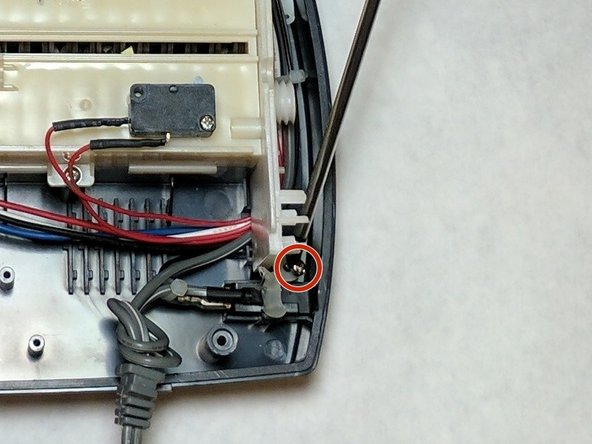
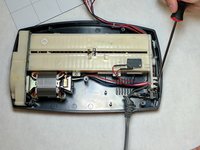
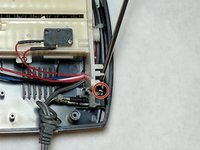
Remove the wire holder. This is a small screwed in piece of plastic which holds the wires in place. The screw length is 10 mm and the head diameter is 6 mm.
-
-
-
Remove the blade housing from the external case.
-
Remove the three screws from the blade housing. The screw length is 18 mm and the head diameter is 5 mm
-
-
-
-
Use Caution when lifting the blade housing from the casing.
-
Warning: Sharp Objects are now exposed.
-
Place the blade housing close to the case to ensure no damage occurs to the connected wires and that they remained attached to the casing.
-
-
-
Locate the main power cord.
-
Clip the wire and strip the remaining end of the wire. Twist the new cord together with the remaining old wire.
-
Use electrical tape in order to cover the wire splice.
-
-
-
-
-
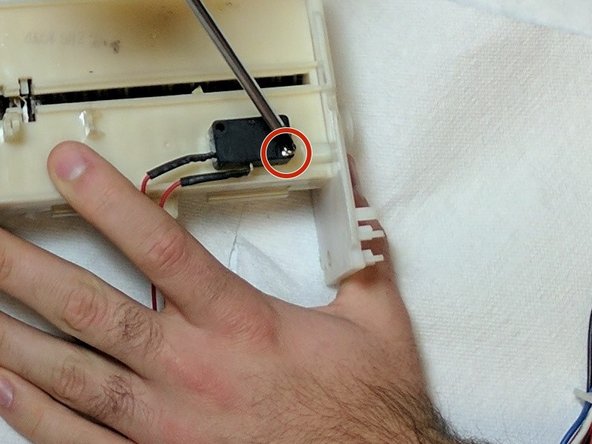
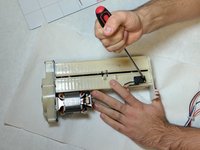
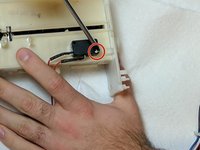
Remove the screws holding the feeding sensor in place. The screw length is 10 mm and the head diameter is 6 mm.
-
Lift and remove the sensor.
-
Replace the faulty sensor with a new sensor.
-
-




To reassemble your device, follow these instructions in reverse order.

Team

IUPUI, Team 2-2, Baechle Fall 2016 Member of IUPUI, Team 2-2, Baechle Fall 2016
IUPUI-BAECHLE-F16S2G2
4 Members
96 Guides authored
