Free Shipping on Domestic Orders $75+

Eureka EasyClean 71C Motor Replacement

What you need

  1. Eureka EasyClean 71C Motor Replacement, Bottom Cover: step 1, image 1 of 1
    • Unscrew the two 18.1 mm PH2 Phillips head screws on the bottom of the vacuum.

    Ask FixBot

    Add Comment

  2. Eureka EasyClean 71C Motor Replacement: step 2, image 1 of 1
    • Pry off the Riser Visor using the plastic opening tool.

    Ask FixBot

    Add Comment

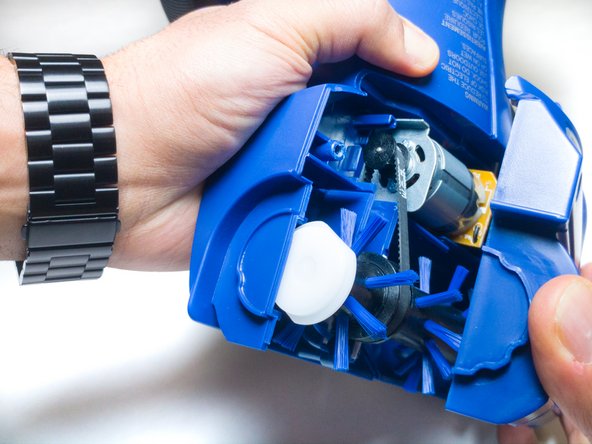
  3. Eureka EasyClean 71C Motor Replacement: step 3, image 1 of 1
    • Remove the screw cap using the metal spudger.

    • First-time removal of the screw cap can be difficult. The screw cap isn’t vital, so don’t worry about damaging the screw cap and just keep trying until it comes out.

    Ask FixBot

    Add Comment

  4. Eureka EasyClean 71C Motor Replacement: step 4, image 1 of 2 Eureka EasyClean 71C Motor Replacement: step 4, image 2 of 2
    • Unscrew the 14mm PH2 Phillips head screw.

    • Pull the bottom cover off of the rest of the casing.

    Ask FixBot

    Add Comment

  5. Eureka EasyClean 71C Motor Replacement, Casing: step 5, image 1 of 1
    • Pull the power switch all the way up and remove the dust cup.

    Ask FixBot

    Add Comment

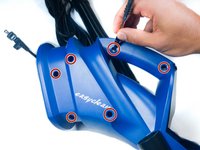
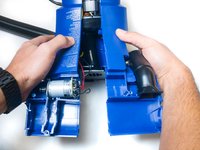
  6. Eureka EasyClean 71C Motor Replacement: step 6, image 1 of 2 Eureka EasyClean 71C Motor Replacement: step 6, image 2 of 2
    • Unscrew the six 18.1mm PH2 Phillips head screws on the side of the vacuum.

    • Pull the casing apart.

    Ask FixBot

    Add Comment

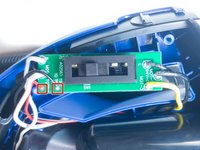
  7. Eureka EasyClean 71C Motor Replacement, Motor: step 7, image 1 of 1
    • Pull out the switch board.

    • Ensure the vacuum is turned off and unplugged before handling any of the electronics.

    Ask FixBot

    Add Comment

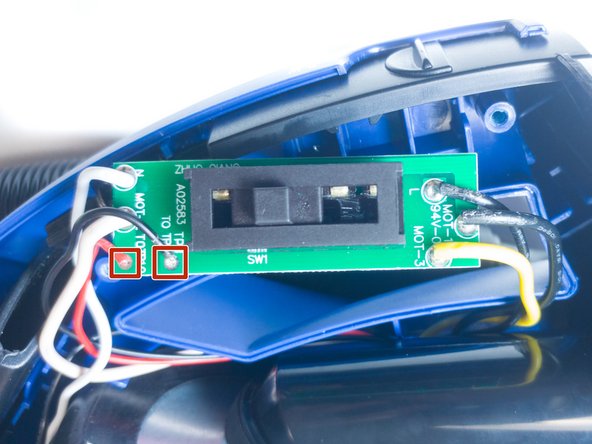
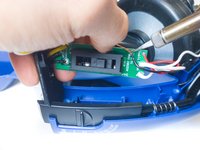
  8. Eureka EasyClean 71C Motor Replacement: step 8, image 1 of 2 Eureka EasyClean 71C Motor Replacement: step 8, image 2 of 2
    • Desolder the pictured red and black wires.

    • For instructions on how to solder and desolder wires, visit this guide.

    Ask FixBot

    Add Comment

Conclusion

To reassemble your device, follow these instructions in reverse order.

Cancel: I did not complete this guide.

Tanner Durnil

Member since: 11/06/17

631 Reputation

6 Guides authored

Team

IUPUI, Team S6-G4, Baechle Fall 2017 Member of IUPUI, Team S6-G4, Baechle Fall 2017

IUPUI-BAECHLE-F17S6G4

3 Members

12 Guides authored

0 Guide Comments

Add Comment

View Statistics:

Past 24 Hours: 0

Past 7 Days: 3

Past 30 Days: 28

All Time: 1,013