
Eureka EasyClean 71C Belt Replacement

Tanner Durnil and 2 other contributors
Last updated on Dec 29, 2017
Views: 2.2K
View statistics:
- Past 24 Hours:
- 3
- Past 7 Days:
- 18
- Past 30 Days:
- 85
- All Time:
- 2,237
Comments: 1
1 guide comment.
Go to guide commentsCompleted: 0 1
No one has marked this guide "completed." Will you be the first?
1 person has marked this guide "completed." It's you — great job!
Favorites: 0 1
No one has favorited (and subscribed to) this guide. Will you be the first?
1 person has favorited (and subscribed to) this guide — and that's you!
Action Shots
Be an action hero! This guide needs images that better demonstrate how to perform specific actions.
Featured Student Guide
This guide has been the hard work of our awesome students and is found to be exceptionally cool by the iFixit staff.
Introduction
Go to step 1 ↓Sometimes, the belt in the vacuum can go bad or even just come loose. In order to properly maintain your vacuum, it’s important to know how to replace the belt. This guide covers the necessary steps for a successful replacement. Make sure your vacuum is off before attempting any replacements.
What you need
Tools


-
-
-
Unscrew the two 18.1 mm PH2 Phillips head screws on the bottom of the vacuum.
 Ask FixBot
-
-
-
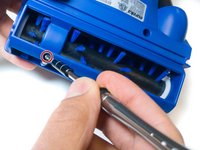
Unscrew the 14mm PH2 Phillips head screw.
-
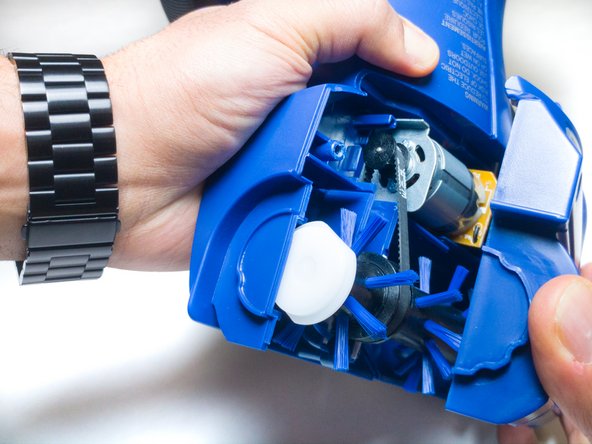
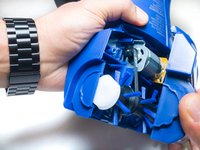
Pull the bottom cover off of the rest of the casing.
-
-
-
-
-
-
Pull the roller, motor, and belt out of the casing.
-
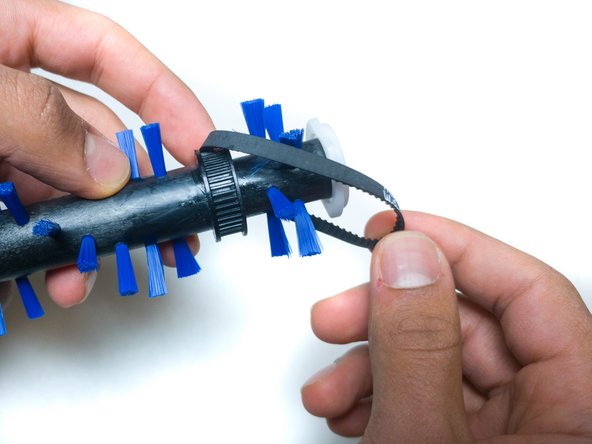
Separate the belt from both the roller and the motor.
-
-



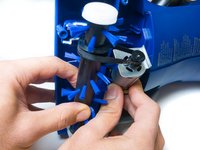
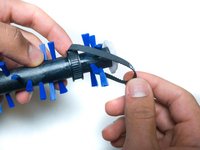
To reassemble your device, follow these instructions in reverse order.

Team

IUPUI, Team S6-G4, Baechle Fall 2017 Member of IUPUI, Team S6-G4, Baechle Fall 2017
IUPUI-BAECHLE-F17S6G4
3 Members
72 Guides authored
