Introduction
If your Eufy Clean Robovac G32 Pro is not holding a charge or powering on, then use this guide to replace the device’s battery.
The battery is designed to supply power to the Robovac device. The G32 Pro uses a 2600 mAh rechargeable lithium-ion battery that typically lasts around 300-500 charging cycles. This number depends, however, on how often the RoboVac is used and how well it is maintained. Generally, if the RoboVac is used regularly, the battery will start to degrade after one year. Replace the battery to maintain peak performance. Replacements can be purchased here.
If the device’s battery is swollen take the proper precautions to ensure complete safety before continuing the repair. This page provides useful information about swollen batteries and the proper steps to repair, replace, and recycle lithium-ion batteries.
When conducting this repair, be mindful of the tools you are using and if they are ESD-safe. Metal screwdrivers and tweezers can puncture the battery or generate an electrostatic discharge that can damage both yourself and the device.
What you need
-
-
-
Make sure your device is turned off.
-
Flip the device upside down on a flat surface.
 Ask FixBot
-
-
-
-
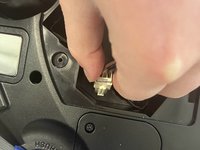
While holding the battery, pinch the clips on the side of the white connector.
-
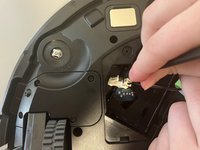
Using a spudger, push the part of the connector inside of the Robovac away from the white connector on the battery.
-
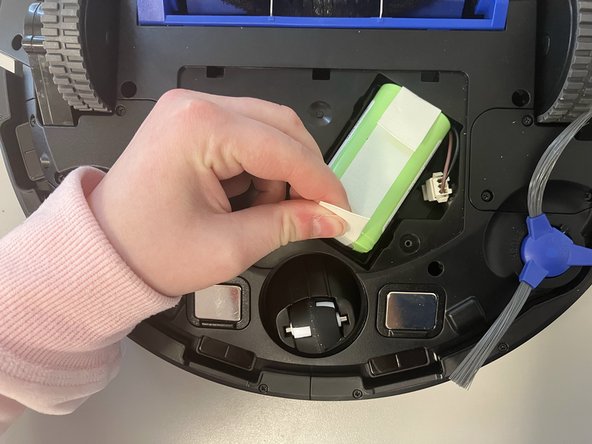
Remove the battery from the device.
-
-




To reassemble your device, follow these instructions in reverse order.
Cancel: I did not complete this guide.
One other person completed this guide.

Team

Marist, Team 1-4, Chaterdon Spring 2023 Member of Marist, Team 1-4, Chaterdon Spring 2023
MARS-CHATERDON-S23S1G4
4 Members
48 Guides authored
