
Epson VS250 Lamp Replacement

Warren Cutlip and 4 other contributors
Last updated on Dec 28, 2021
Views: 1K
View statistics:
- Past 24 Hours:
- 3
- Past 7 Days:
- 14
- Past 30 Days:
- 74
- All Time:
- 1,039
Comments: 0
No one has left comments on this guide. Will you be first?
Go to guide commentsCompleted: 1 2
1 person has marked this guide "completed." Will you be next?
2 people have marked this guide "completed." Including you — great job!
Favorites: 0 1
No one has favorited (and subscribed to) this guide. Will you be the first?
1 person has favorited (and subscribed to) this guide — and that's you!
Needs Better Images
Better photos will improve this guide. Help out by taking, editing, or uploading new ones!
Introduction
Go to step 1 ↓If your Epson VS250 projector is having image display issues then this might be the right guide for you. The lamp is essentially the most important component in the projector and without it you wouldn’t be able to display images onto a screen. The Epson VS250 projector has a status light for the lamp and this is useful for indicating that a problem has occurred. It can even warn you if the lamp needs to be replaced ahead of time. This guide will help assist you in replacing the lamp.
What you need
Tools

-
-
-
Place the projector on a flat surface.
-
Orient the projector so that the the word "Epson" is facing you.
-
Use Phillips #1 screwdriver to loosen the 10 mm screw on the top right corner of the projector.
 Ask FixBot
-
-
-
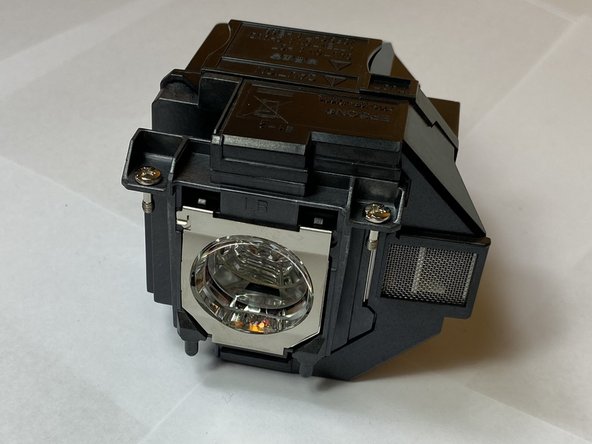
Use a Phillips #1 screwdriver to loosen the two 10 mm screws that hold the lamp in place.
-
-
-
-
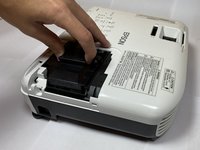
After loosening both screws, remove the lamp from the projector by pulling it up and out.
-
-


To reassemble your device, follow these instructions in reverse order.
Cancel: I did not complete this guide.
One other person completed this guide.

Team

Clemson, Team 4-2, Hunter Fall 2021 Member of Clemson, Team 4-2, Hunter Fall 2021
CLEM-HUNTER-F21S4G2
5 Members
60 Guides authored
