Introduction
This guide demonstrates how to replace the Ematic model FTABMP2 camera. If you dropped your camera or it's just getting old, you may need to replace the camera component to continue using your device.
No special skills are needed to complete these steps. When taking the Ematic apart, be careful while unplugging the components from the motherboard. Also, make sure to discharge yourself from static by touching metal or wearing an anti-static discharge strap to prevent any damage to electrical components.
Before you begin this repair, power off your tablet and unplug it from the charging adaptor.
What you need
-
-
-
Use the opening tool to carefully pry open the case to reveal the motherboard underneath.
 Ask FixBot
-
-
-
-
Flip open the retaining flap on the LCD cable.
-
Remove the LCD from the rest of the tablet.
-
-


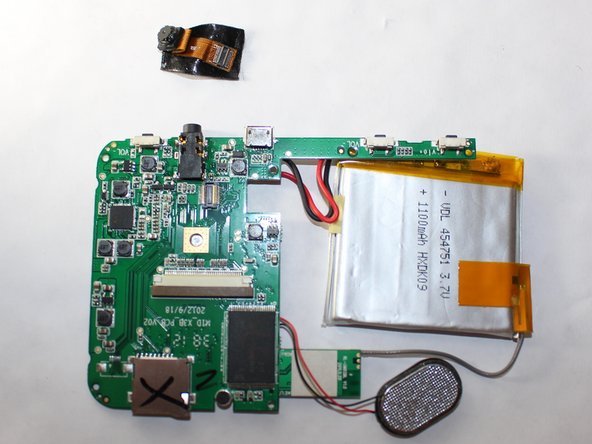
To reassemble your device, follow these instructions in reverse order.

Team

USF Tampa, Team 9-2, Brown Winter 2015 Member of USF Tampa, Team 9-2, Brown Winter 2015
USFT-BROWN-W15S9G2
5 Members
60 Guides authored
