
Eluktronics N850HK SSD Replacement

Brandon Yuan and one other contributor
Last updated on Aug 23, 2024
Views: 6.7K
View statistics:
- Past 24 Hours:
- 6
- Past 7 Days:
- 52
- Past 30 Days:
- 226
- All Time:
- 6,669
Comments: 1
1 guide comment.
Go to guide commentsCompleted: 6 7
6 people have marked this guide "completed." Will you be next?
7 people have marked this guide "completed." Including you — great job!
Favorites: 2 3
2 people have favorited (and subscribed to) this guide. Will you be next?
3 people have favorited (and subscribed to) this guide — including you!
Introduction
Go to step 1 ↓The Eluktronics N850HK is a laptop model equipped with an M.2 PCIe SSD. The SSD is a storage device, used to store the data in a laptop. Removing the SSD from the laptop is necessary to check for damages, or to replace the card. Replacing a laptop's SSD can yield greater storage space and higher reading/writing speeds.
Replacing the SSD in the N850HK is a simple task that can be accomplished with just a screwdriver and some careful handling. This guide will cover the replacement of the SSD in this laptop model.
Before you begin this repair, power off your laptop and unplug it from the power cord. For an additional safety measure, disconnect or remove the battery prior to the repair.
What you need
Tools


-
-
-
Push both switch locks inward to unlock the battery from the bottom panel.
-
Remove the battery from the back of the laptop.
 Ask FixBot
-
-
-
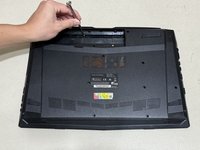
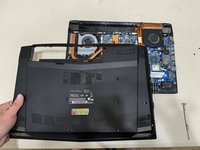
Use a Phillips #00 screwdriver to remove the twelve 4 mm screws from the bottom panel of the laptop.
-
-
-
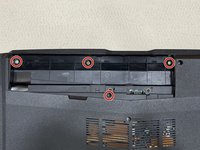
Use a Phillips #00 screwdriver to remove the four 3 mm screws located under where the battery usually rests.
-
-
-
-
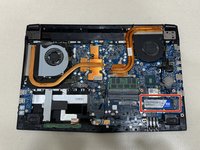
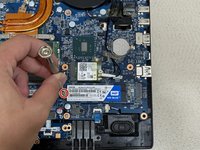
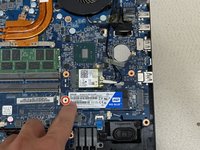
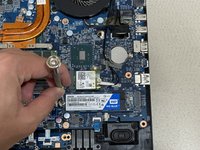
Use a Phillips #00 screwdriver to remove 3 mm screw securing the SSD.
-
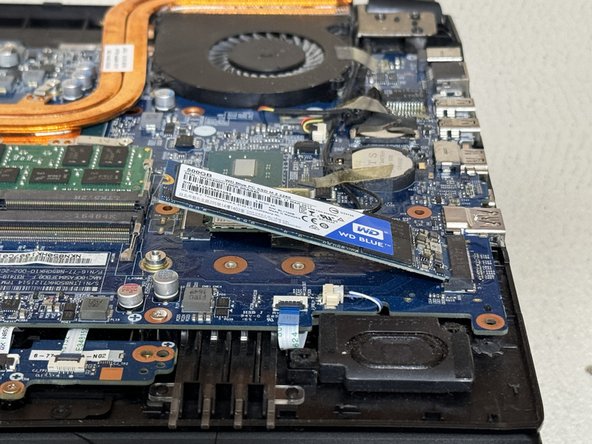
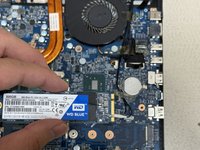
Carefully slide the SSD from the M.2 slot.
-
-
-
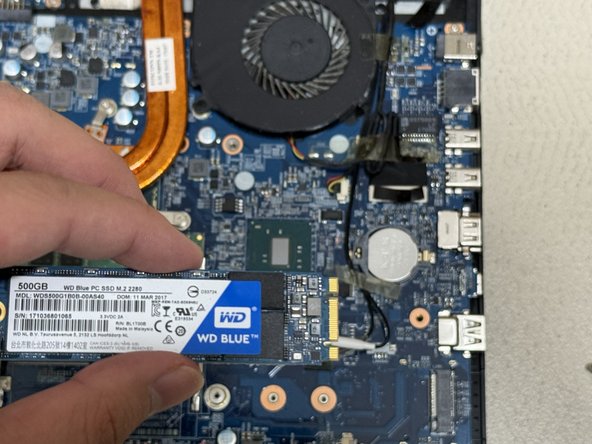
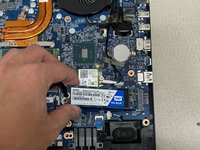
Use the ridges on the right side to align the SSD properly.
-
Slide the new SSD into the M.2 mounting slot.
-
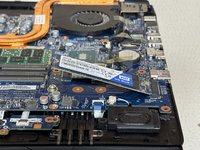
Use the Phillips #00 screwdriver to replace the 3 mm screw that secures the SSD.
-
-









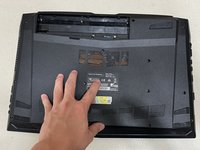
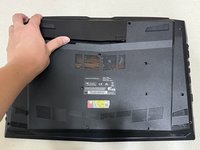
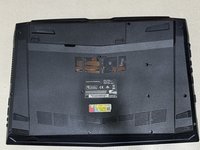
Alternative models where this guide may still apply:
- Eluktronics N857HK1
- Eluktronics N850HP6
Cancel: I did not complete this guide.
6 other people completed this guide.

Team

Austin Community College, Team 6-12, Watkins Summer 2024 Member of Austin Community College, Team 6-12, Watkins Summer 2024
AUSTINCC-WATKINS-SU24S6G12
1 Member
12 Guides authored
1 Guide Comment
E para limpar o teclado do notebook positivo emotion?
