
Eightarc Fusion USB Cable Replacement

Last updated on Jun 19, 2015
Views: 1.4K
View statistics:
- Past 24 Hours:
- 4
- Past 7 Days:
- 23
- Past 30 Days:
- 100
- All Time:
- 1,437
Comments: 1
1 guide comment.
Go to guide commentsCompleted: 0 1
No one has marked this guide "completed." Will you be the first?
1 person has marked this guide "completed." It's you — great job!
Favorites: 1 2
1 person has favorited (and subscribed to) this guide. Will you be next?
2 people have favorited (and subscribed to) this guide — including you!
Slice and Dice
The steps in this guide should be split up and made into a series of prerequisite guides.
Introduction
Go to step 1 ↓Use this guide if the USB cable is no longer working.
Warning: Use caution when placing the joystick face down on the table. The joystick can crack if placed down too hard. Be sure to gently turn the device over and place it face down. It can be helpful to balance the other side of the device to distribute the weight.
What you need
Tools

-
-
-
Place the controller face down (buttons and joystick down).
-
Use a Phillips Head #1 screwdriver to remove the eight 9.65 mm screws located on the felt and metal backplate.
 Ask FixBot
-
-
-
Open the door for the cord storage compartment on the right side of the device.
-
Reach under the panel and push upwards on the back panel. Lift it up and remove it from the device.
-
-
-
With flap unlatched, gently bend the flap and pull slightly to get the pegs out of the socket
-
Be sure to be gentle and not snap the plastic flap in half.
-
-
-
-
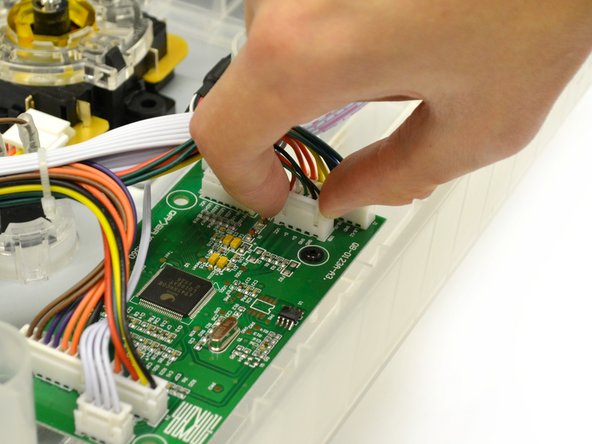
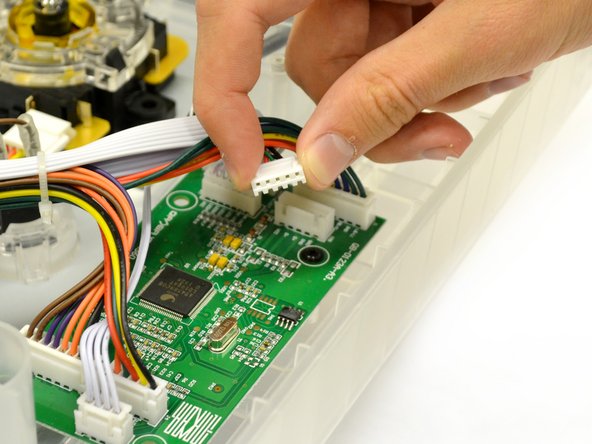
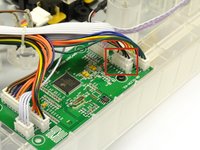
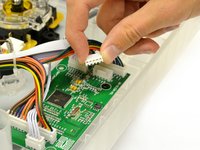
The USB cord is connected to the logic board by a plastic plug with five wires.
-
Gently pull up and wiggle the white plastic end attached to the wires out of the mother board.
-
Remove USB cable from device.
-
-


To reassemble your device, follow these instructions in reverse order.

Team

Cal Poly, Team 17-35, Amido Winter 2015 Member of Cal Poly, Team 17-35, Amido Winter 2015
CPSU-AMIDO-W15S17G35
4 Members
60 Guides authored
