Introduction
The Ecovacs Deebot 900 is a highly efficient autonomous vacuum robot designed to make cleaning your home easier and more convenient. With its smart navigation and powerful cleaning capabilities, it ensures a spotless living space with minimal effort. However, like any device, it can encounter issues over time, such as jammed or malfunctioning wheels. When this happens, the Deebot may struggle to move effectively, preventing it from completing its cleaning tasks. To restore its functionality and keep your home tidy, this guide will walk you through the process of replacing a damaged wheel on the Ecovacs Deebot 900. By following these steps, you can ensure your Deebot continues to perform at its best.
What you need
-
-
-
Using a Phillips #0 screwdriver, remove the two 12.25 mm screws holding the battery cover in place.
-
-
-
Using the two white straps on the sides of the battery, gently remove the battery.
-
-
-
Carefully disconnect the battery cable by pulling near the connector at the bottom of the battery compartment.
-
-
-
-
Using a Phillips #00 screwdriver, remove the eight screws on the bottom edge of the bumper.
-
-
-
-
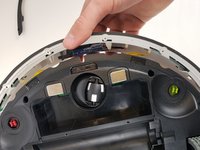
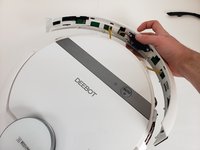
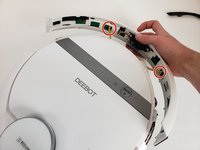
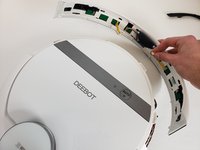
Disconnect the two cables connecting the bumper to the body of the Deebot.
-
Remove the front bumper from the device.
-
-
-
-
-
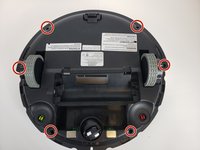
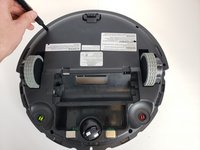
Using a Phillips #00 screwdriver, take out the six screws around the perimeter of the bottom case.
-
-
-
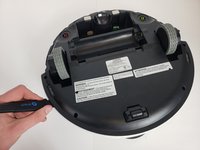
Insert a Jimmy into the seam and work all the way around the robot.
-
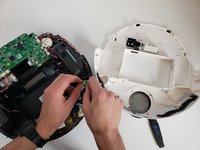
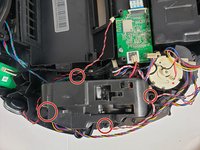
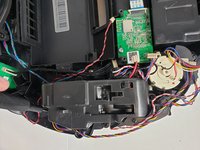
Disconnect the two cables and remove the bottom case from the device.
-
-
-
-
-
Using a Phillips #00 screwdriver, remove the two black screws holding the motherboard in place.
-
-
-
-
Tool used on this step:Tweezers$4.99
-
Using a screwdriver or tweezers, Gently lift the spring upward, ensuring not to apply excessive force that could damage surrounding components. Once the spring is loosened, grip it securely and pull it off from one side, allowing the tension to release naturally. Take care to note the spring’s orientation and placement for reassembly later.
-
-
-
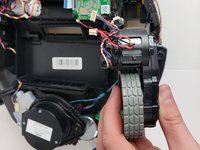
Using a Phillips #00 screwdriver, remove the four screws securing the wheel assembly in place. Begin by loosening each screw slightly to evenly distribute pressure, then fully unscrew them one at a time. Be sure to set the screws aside in a safe location for reassembly later. Gently lift the wheel assembly out of its housing.
-
-
-
Gently pry off the wheel cover using your fingers or a plastic tool, applying light pressure to release it. Set the cover aside for reassembly.
-
-
-
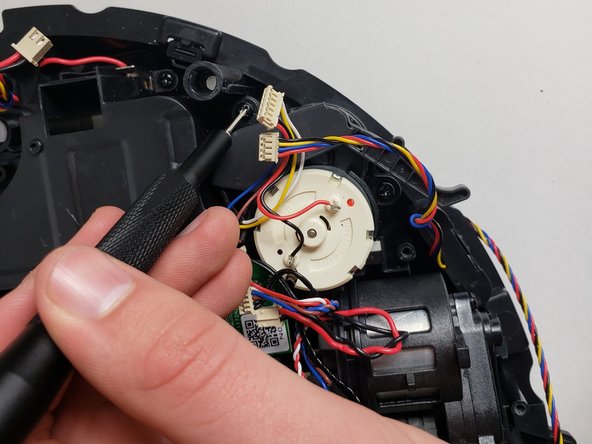
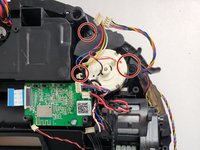
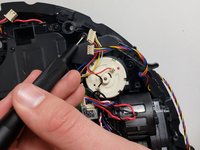
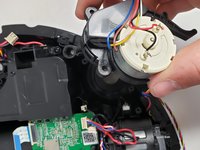
Using the Phillips #00 screwdriver, remove the three screws holding the side brush motor in place and lift the brush motor up.
-
-
-
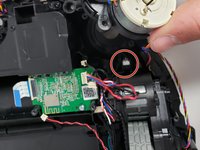
Lift the wheel assembly carefully, ensuring the attached sensor (black cable) comes out with it. Handle the sensor gently to avoid damage
-
-

 Ask FixBot















To reassemble your device, follow these instructions in reverse order.
Cancel: I did not complete this guide.
8 other people completed this guide.

Team

Embry-Riddle Aeronautical University, Team S6-G1, Rauch Spring 2020 Member of Embry-Riddle Aeronautical University, Team S6-G1, Rauch Spring 2020
ERAU-RAUCH-S20S6G1
3 Members
72 Guides authored
6 Guide Comments
Thanks, it helps a lot
I have an OZMO 930 that the left driver wheel is stuck. I tried to follow the above instruction, but I can’t go beyond step 10, I can’t take out the cover. Any help will be greatly appreciated,
do you have place to buy ecovac_deebot_900_54_gear ?? I thinking on printing it but after my printed gear to papper shreder I have no hopes it will last.
