
EchoMaster MRC-WLP43 Wire Port Replacement

Cheska king and 2 other contributors
Last updated on Jun 9, 2023
Views: 449
View statistics:
- Past 24 Hours:
- 1
- Past 7 Days:
- 9
- Past 30 Days:
- 51
- All Time:
- 449
Comments: 0
No one has left comments on this guide. Will you be first?
Go to guide commentsCompleted: 0 1
No one has marked this guide "completed." Will you be the first?
1 person has marked this guide "completed." It's you — great job!
Favorites: 0 1
No one has favorited (and subscribed to) this guide. Will you be the first?
1 person has favorited (and subscribed to) this guide — and that's you!
Action Shots
Be an action hero! This guide needs images that better demonstrate how to perform specific actions.
Needs Better Images
Better photos will improve this guide. Help out by taking, editing, or uploading new ones!
Needs More Images
A few more images would make this guide's procedures crystal clear.
Introduction
Go to step 1 ↓When the underlying issue is revolved around the Wire port you can follow these steps on how to replace it. *Note that when replacing your Wire port, you are replacing the entire motherboard because they are attached. The only tool you will need is a #1 Phillips head screwdriver.
What you need
Tools

-
-
-
Take your monitor and face in down so that the back is facing up. There will be four screws on each corner of the monitors back cover. Unscrew each one and set them to the side. Remove four 1.2 mm Phillips #1 screws.
 Ask FixBot
-
-
-
Carefully lift the back along with the screen then flip it around slowly so the back is placed down on the table.
-
Lift your screen above the motherboard and set it down.
-
-
-
There are three screws on the motherboard. Unscrew each one of the three 1.4 mm Phillips #1 screws.
-
Don't lose your screws
-
-
-
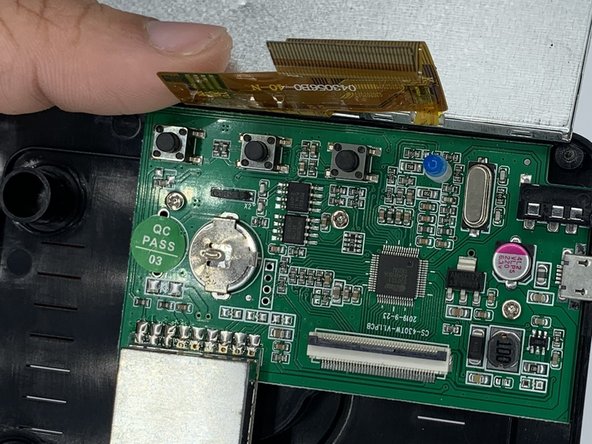
Once the screws are out, you can then remove the yellow strip connecting the screen to the motherboard.
-
There is a black tab that you can carefully flip up with your fingernail or a flathead screwdriver. Once it's flipped up you can easily slide the yellow ribbon out.
-
-
-
-
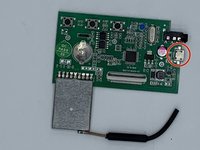
When everything is unscrewed and removed you can take your motherboard out.
-
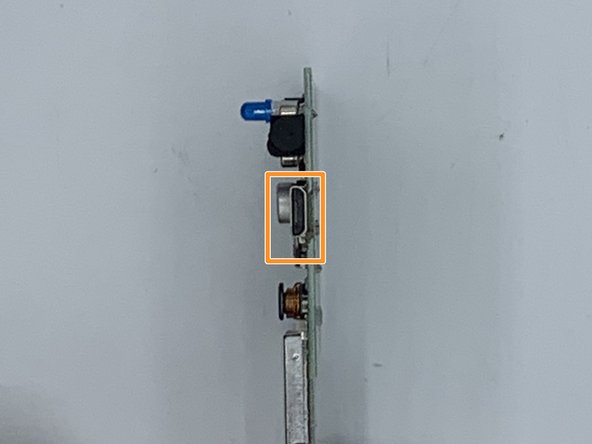
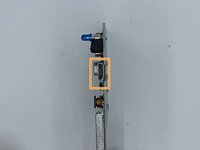
Your charger port is attached to the motherboard. To replace it you can simply retrace these steps.
-
-



To reassemble your device, follow these instructions in reverse order.

Team

University of North Texas, Team 3-1, Saru Jimmy Spring 2023 Member of University of North Texas, Team 3-1, Saru Jimmy Spring 2023
UNT-SARU JIMMY-S23S3G1
4 Members
60 Guides authored
