
EasySMX X15 Main Board Replacement

ShawnDetiveaux and one other contributor
Last updated on Dec 18, 2024
Views: 570
View statistics:
- Past 24 Hours:
- 1
- Past 7 Days:
- 7
- Past 30 Days:
- 53
- All Time:
- 570
Comments: 0
No one has left comments on this guide. Will you be first?
Go to guide commentsCompleted: 0 1
No one has marked this guide "completed." Will you be the first?
1 person has marked this guide "completed." It's you — great job!
Favorites: 0 1
No one has favorited (and subscribed to) this guide. Will you be the first?
1 person has favorited (and subscribed to) this guide — and that's you!
Action Shots
Be an action hero! This guide needs images that better demonstrate how to perform specific actions.
Needs More Images
A few more images would make this guide's procedures crystal clear.
Better Introduction
Improve this guide by completing or revising its introduction.
Introduction
Go to step 1 ↓If your EasySMX X15 stops working then you may need to replace the main circuit board. This guide will show you how to replace the circuit board if that is the case.
What you need
Tools
-
Spudger4.9
-


-
-
-
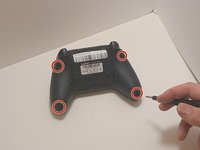
Use a Phillips #00 screwdriver to remove the four 9 mm screws from the bottom of the EasySMX X15.
-
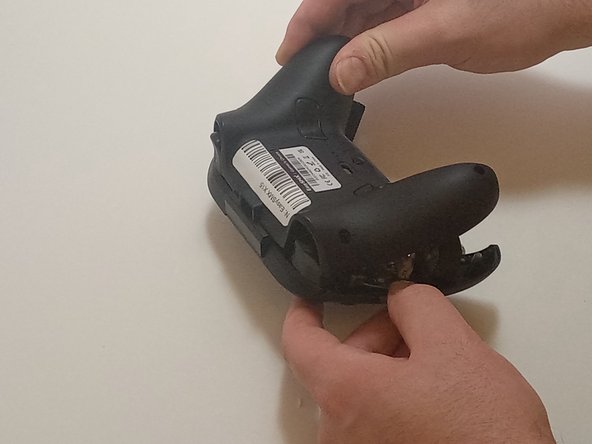
Use an opening tool to gently pry between the seams of the controller to separate the lower and upper casings.
 Ask FixBot
-
-
-
-
-
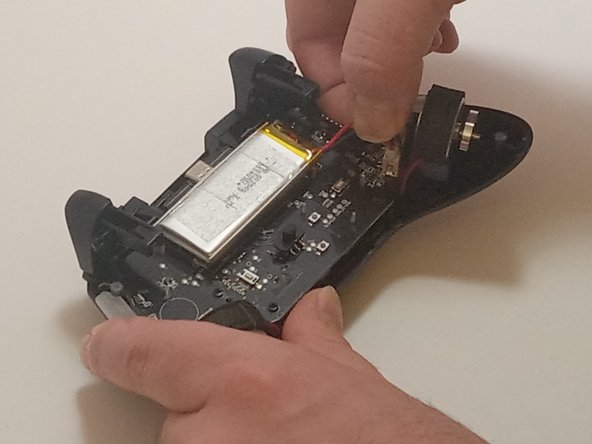
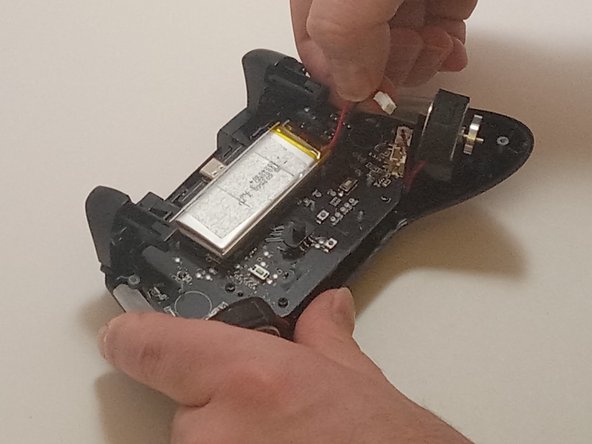
Push on alternating sides of the connector to disconnect the red battery cable from the board.
-
-
-
Use a spudger to pry the battery loose from the controller.
-
Remove the battery.
-
-
-
-
-
Disconnect the vibration motor cables from the connectors on the circuit board.
-
Use a Phillips #00 screwdriver to remove six, 6mm screws from the board.
-
-
-
-
Gently lift the board away from the upper casing, maneuvering it around the triggers by lifting it from the bottom, away from the upper casing.
-
-





To reassemble your device, follow these instructions in reverse order.

Team

Austin Community College, Team 7-3, Watkins Fall 2024 Member of Austin Community College, Team 7-3, Watkins Fall 2024
AUSTINCC-WATKINS-F24S7G3
3 Members
84 Guides authored
