
EasySMX ESM-9100 Joystick Replacement

Alex Vala and 3 other contributors
Last updated on Jun 26, 2024
Views: 2.1K
View statistics:
- Past 24 Hours:
- 1
- Past 7 Days:
- 28
- Past 30 Days:
- 84
- All Time:
- 2,108
Comments: 1
1 guide comment.
Go to guide commentsCompleted: 5 6
5 people have marked this guide "completed." Will you be next?
6 people have marked this guide "completed." Including you — great job!
Favorites: 0 1
No one has favorited (and subscribed to) this guide. Will you be the first?
1 person has favorited (and subscribed to) this guide — and that's you!
Featured Student Guide
This guide has been the hard work of our awesome students and is found to be exceptionally cool by the iFixit staff.
Introduction
Go to step 1 ↓This guide demonstrates how to replace the joystick of your EasySMX ESM-9100 game controller. A probable reason for the analog sticks or joystick to stop working or start drifting is that they have experienced significant wear and tear within the controller and no longer have proper calibration. Another reason could be that they are dirty; cleaning them with isopropyl alcohol on a cloth is a more immediate solution. You may also attempt to calibrate or adjust the dead zones where possible. However, if you want a permanent fix, you should consider replacing the analog sticks on your EasySMX ESM-9100 controller. Since this will require working closely with the internal electronics, be careful not to damage them to avoid making the controller entirely unresponsive.
Before you begin this repair, ensure that the controller is unplugged from your console or PC.
What you need
Tools


-
-
-
Place the controller face down on a solid surface.
-
Use a Phillips #00 screwdriver to remove the seven 10 mm screws from the back cover.
 Ask FixBot
-
-
-
-
Use the iFixit opening tool to pry off the back cover and remove it to reveal the internal components.
-
Place the cover off to the side, then grab the circuit board and gently remove it from the front cover.
-
-
-
-
-
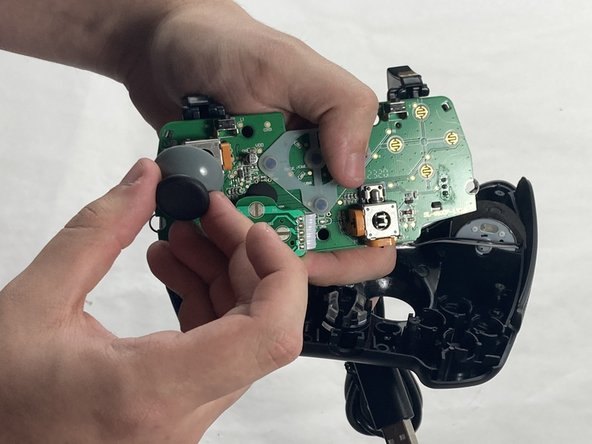
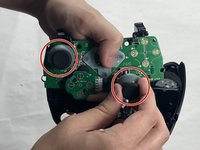
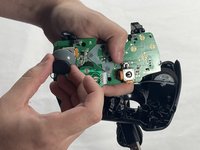
Firmly pull off the two analog sticks (joysticks) from the potentiometers.
-
-


To reassemble your device, follow these instructions in reverse order. Take your e-waste to an R2 or e-Stewards certified recycler.
Cancel: I did not complete this guide.
5 other people completed this guide.

Team

UMass Dartmouth, Team 4-4, Shaddix Spring 2024 Member of UMass Dartmouth, Team 4-4, Shaddix Spring 2024
UMASSD-SHADDIX-S24S4G4
4 Members
72 Guides authored
