Free Shipping on Domestic Orders $75+

EPOMAKER EK21 VIA Switch Replacement

What you need

  1. EPOMAKER EK21 VIA Switch Replacement, Switches: step 1, image 1 of 1
    • Ensure the USB-C cable located on the top of the device is unplugged.

    • Optional: Give the device a quick spray with a compressed air can if it seems to have collected some dust.

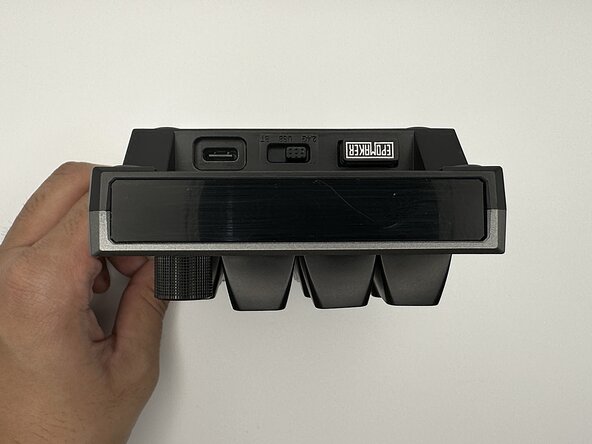
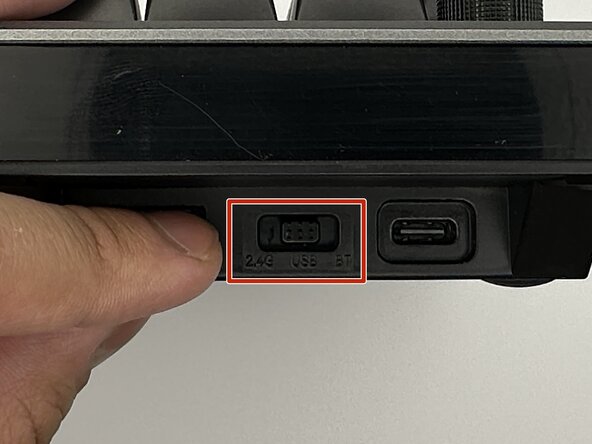
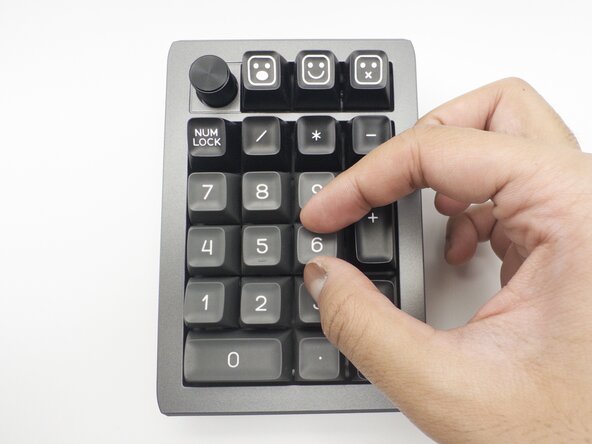
  2. EPOMAKER EK21 VIA Switch Replacement: step 2, image 1 of 3 EPOMAKER EK21 VIA Switch Replacement: step 2, image 2 of 3 EPOMAKER EK21 VIA Switch Replacement: step 2, image 3 of 3
    • Position the device upright so that the ports are facing upwards.

    • Turn the device so that the ports are facing towards you.

    • Turn the switch to the USB position.

    • This will ensure the device is OFF.

  3. EPOMAKER EK21 VIA Switch Replacement: step 3, image 1 of 2 EPOMAKER EK21 VIA Switch Replacement: step 3, image 2 of 2
    • Align the keycap removal tool with the key and press down so that the 2 wire fingers are under the keycap.

    • Gently lift upwards so that the keycap is removed from the switch.

    • Optional: You may either set the keycap aside in a container, or rest it in your workspace.

    • Repeat the above steps for each key that needs to be replaced.

  4. EPOMAKER EK21 VIA Switch Replacement: step 4, image 1 of 2 EPOMAKER EK21 VIA Switch Replacement: step 4, image 2 of 2
    • Align the switch removal tool with the top and bottom of the switch, then pinch firmly.

    • Using some force, lift the switch out of the board.

    • Repeat the above steps for each faulty switch.

  5. EPOMAKER EK21 VIA Switch Replacement: step 5, image 1 of 1
    • Confirm that the replacement switch you are using is a two-pin switch.

    • The only switch compatible with the EK21 is a two-pin switch. These are the most common types of switches. The EK21 is compatible with any two-pin switch sold by manufacturers like Cherry, Gateron, and Kailh.

  6. EPOMAKER EK21 VIA Switch Replacement: step 6, image 1 of 3 EPOMAKER EK21 VIA Switch Replacement: step 6, image 2 of 3 EPOMAKER EK21 VIA Switch Replacement: step 6, image 3 of 3
    • Align the replacement switch so that the pin on the left is positioned lower than the one on the right.

    • The switch can only be inserted in one orientation.

    • Forcing the switch into the board in the wrong orientation may result in damage to the switch. Be sure that the pins are clean and straight, as you may risk damage to the switch.

    • Push the switch down fully so that it is flush with the board.

    • You may use your finger to give it a little push so it sits securely in the board. Be gentle as the pins are prone to bending.

  7. EPOMAKER EK21 VIA Switch Replacement: step 7, image 1 of 3 EPOMAKER EK21 VIA Switch Replacement: step 7, image 2 of 3 EPOMAKER EK21 VIA Switch Replacement: step 7, image 3 of 3
    • Align the + on the keycap with the + on the stem of the switch.

    • Push down on the keycap so that it fits on the switch without falling off.

    • You may use your finger to press the key down all the way to ensure it feels the same as the other keys.

Conclusion

You've successfully replaced the switch(es)! Hooray! If you need further information, see the EK21's manual below.

Take your e-waste to an R2 or e-Stewards certified recycler.

One other person completed this guide.

Attached Documents

Ryan Samlall

Member since: 01/20/26

145 Reputation

1 Guide authored

0 Guide Comments

Add Comment

View Statistics:

Past 24 Hours: 0

Past 7 Days: 15

Past 30 Days: 24

All Time: 91