Introduction
The Dyson V15 Detect’s High Torque cleaner head is a sophisticated piece of engineering. It uses a powerful internal motor to drive stiff nylon bristles into carpets while spinning an "anti-tangle" comb to shred hair on the fly. However, because this head houses a DLS (Dynamic Load Sensor) that communicates directly with the vacuum's microprocessor to adjust suction, even a small buildup of debris in the drive assembly can cause the motor to pulse, overheat, or shut down entirely.
Before you begin, keep these three things in mind:
- Safety First: Ensure the vacuum is powered off and the battery is removed or the wand is disconnected to prevent accidental activation while your fingers are near the brush bar.
- No Water: Unlike the soft "Fluffy" rollers, this brush bar contains an integrated motor assembly. Never submerge the bar or the head in water, as this will cause a permanent electrical short.
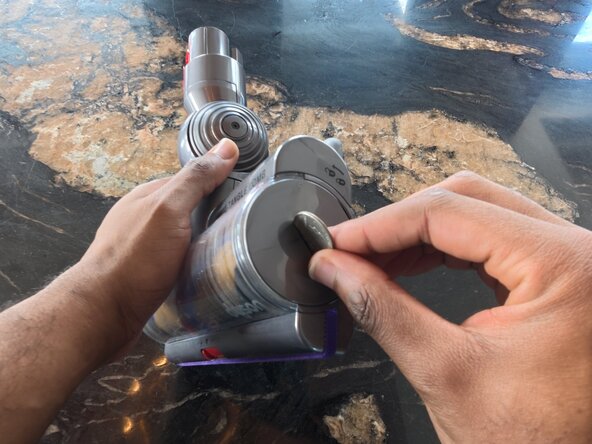
- The "Coin" Rule: You’ll need a small coin or a 15.00mm flat-head screwdriver to toggle the end-cap lock. Aside from that, no specialized tools are required for this maintenance.
By following this guide to clear the drive spindle and inspect the "neck" for hidden blockages, you’ll restore the acoustic dust-sensing accuracy and keep your V15 running at peak performance.
What you need
-
-
Detach the high torque cleaner head from the vacuum wand by pressing the red release button.
 Ask FixBot
-
-
-
Unlock the end cap.
-
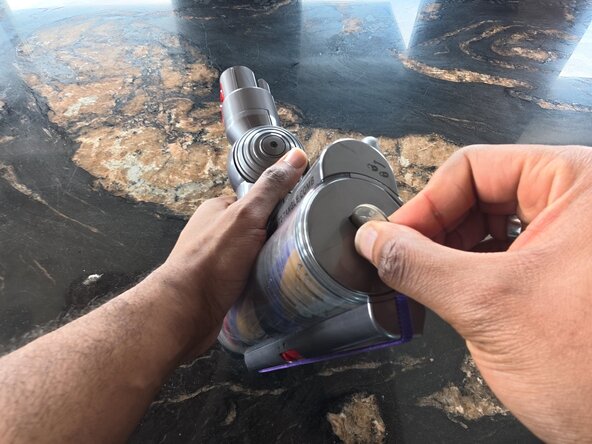
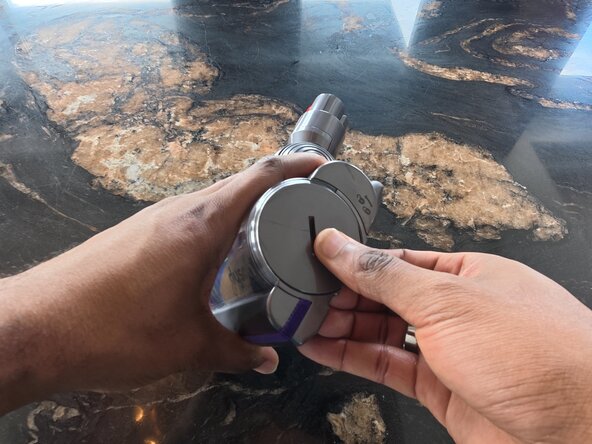
Use a US coin (or a 15.00mm flat-head screwdriver) to turn the end cap on the side of the cleaner head 90° counterclockwise to the "unlocked" position.
-
-
-
-
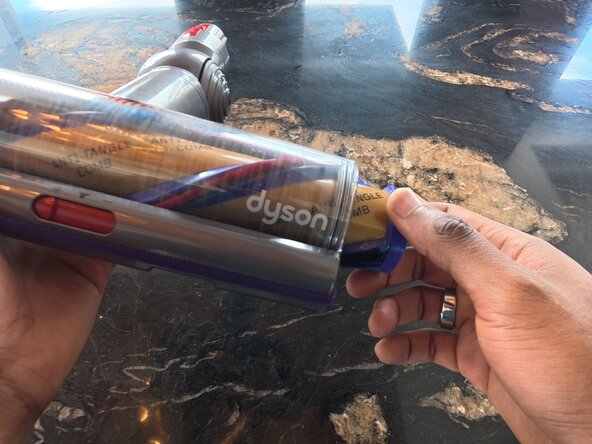
Grasp the edge of the brush bar (the purple and black spiraled cylinder) and slide it straight out of the vacuum head.
-
-
-
Look into the empty cavity of the cleaner head. You will see a plastic gear (the drive cog). Use a flocking sponge to pull out/remove any hair or carpet fibers wrapped around this gear.
-
-
-
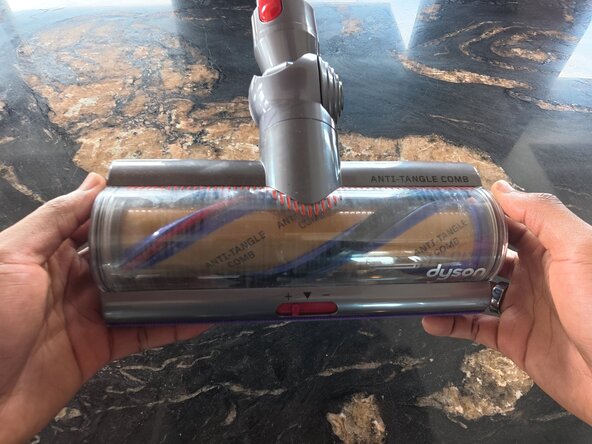
Slide the new (or cleaned) brush bar back into the housing. You may need to rotate it slightly until you feel the notches on the bar "seat" onto the drive cog.
-
-
-
Push the end cap back down flush against the housing. Use the coin to rotate the end cap 90 degrees clockwise back to the "Locked" position.
-












Team

Austin Community College, Team 21-8, Cox Spring 2026 Member of Austin Community College, Team 21-8, Cox Spring 2026
AUSTINCC-COX-S26S21G8
1 Member
1 Guide authored
