Free Shipping on Domestic Orders $75+

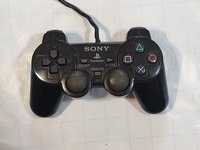
DualShock 2 D-Pad Replacement

What you need

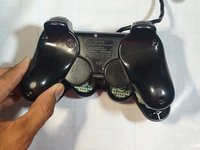
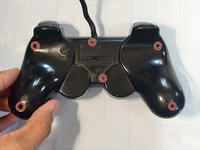
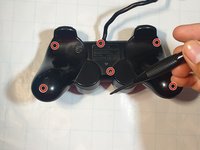
    1. DualShock 2 D-Pad Replacement, D-Pad: step 1, image 1 of 3 DualShock 2 D-Pad Replacement, D-Pad: step 1, image 2 of 3 DualShock 2 D-Pad Replacement, D-Pad: step 1, image 3 of 3
      • Turn the controller over.

      • Unscrew the six screws using your Phillips #00 screwdriver.

      Ask FixBot

      Add Comment

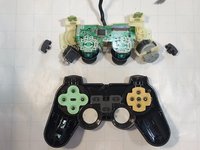
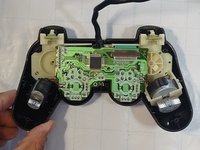
    2. DualShock 2 D-Pad Replacement: step 2, image 1 of 3 DualShock 2 D-Pad Replacement: step 2, image 2 of 3 DualShock 2 D-Pad Replacement: step 2, image 3 of 3
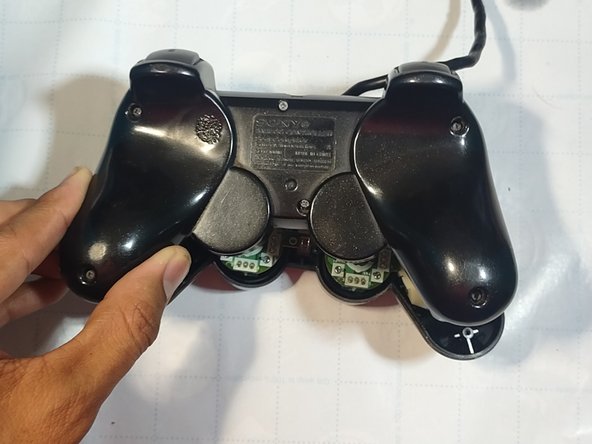
      • Remove the back cover from the controller.

      • Slide the triggers off by pulling the trigger off the controller and repeat for another side.

      Ask FixBot

      Add Comment

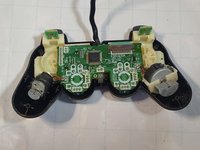
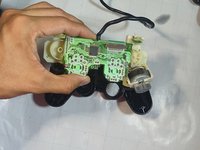
    3. DualShock 2 D-Pad Replacement: step 3, image 1 of 3 DualShock 2 D-Pad Replacement: step 3, image 2 of 3 DualShock 2 D-Pad Replacement: step 3, image 3 of 3
      • Remove the circuit board carefully.

      • Make sure not to touch any vital components and only grab them by the side.

      Ask FixBot

      Add Comment

    4. DualShock 2 D-Pad Replacement: step 4, image 1 of 3 DualShock 2 D-Pad Replacement: step 4, image 2 of 3 DualShock 2 D-Pad Replacement: step 4, image 3 of 3
      Tool used on this step:
      Tweezers
      $4.99
      Buy
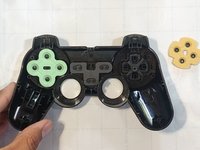
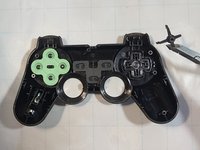
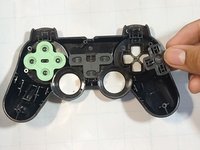
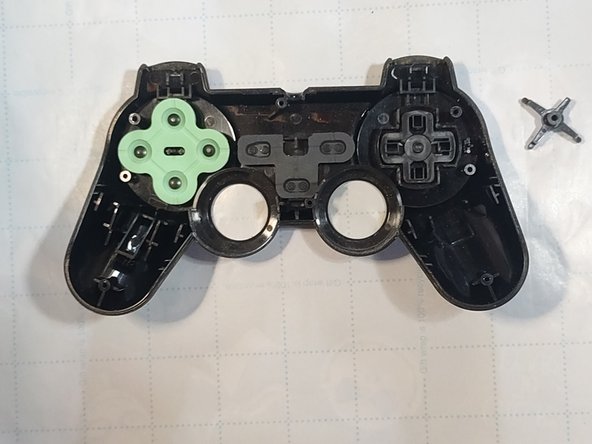
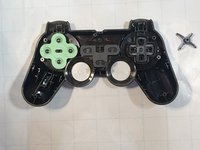
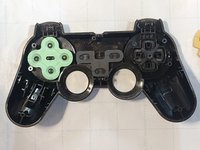
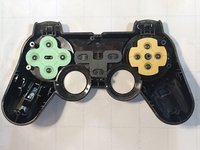
      • Remove the yellow rubber from the D-pad.

      • Remove the black plastic bracket with a pair of tweezers.

      Ask FixBot

      Add Comment

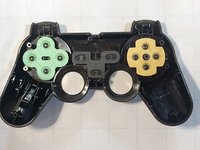
    5. DualShock 2 D-Pad Replacement: step 5, image 1 of 3 DualShock 2 D-Pad Replacement: step 5, image 2 of 3 DualShock 2 D-Pad Replacement: step 5, image 3 of 3
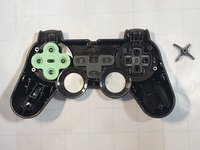
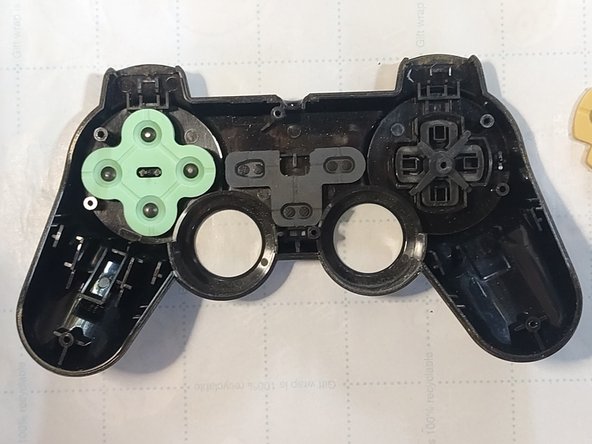
      • Remove the broken D-pad from the controller carefully.

      Ask FixBot

      Add Comment

    6. DualShock 2 D-Pad Replacement: step 6, image 1 of 3 DualShock 2 D-Pad Replacement: step 6, image 2 of 3 DualShock 2 D-Pad Replacement: step 6, image 3 of 3
      • Put the replacement D-pad in the controller.

      • Make sure to get replacement parts designed for your controller as sizes may vary.

      • Put the plastic bracket back on carefully.

      Ask FixBot

      Add Comment

    7. DualShock 2 D-Pad Replacement: step 7, image 1 of 3 DualShock 2 D-Pad Replacement: step 7, image 2 of 3 DualShock 2 D-Pad Replacement: step 7, image 3 of 3
      • Replace the yellow rubber.

      • Carefully insert the circuit board and reclip the triggers.

      • Make sure to insert the analog sticks through the designed opening.

      • Insert the back cover back in place.

      Ask FixBot

      Add Comment

    8. DualShock 2 D-Pad Replacement: step 8, image 1 of 3 DualShock 2 D-Pad Replacement: step 8, image 2 of 3 DualShock 2 D-Pad Replacement: step 8, image 3 of 3
      • Screw the back cover on again clockwise.

      • Test D-pad to make sure its in working order.

      Ask FixBot

      Add Comment

Conclusion

Enjoy your new D-pad.

Cancel: I did not complete this guide.

7 other people completed this guide.

Gilberto Rosales

Member since: 08/23/22

337 Reputation

1 Guide authored

Team

0 Guide Comments

Add Comment

View Statistics:

Past 24 Hours: 18

Past 7 Days: 106

Past 30 Days: 495

All Time: 13,838