Introduction
If your drum head is starting to look worn out or is losing the fullness of its sound, it may be time to replace it. Experienced drummers recommend replacing drum heads every six months or so, and always before recording drums in the studio. Luckily, this is a very straightforward process. This guide will provide you with simple but thorough step-by-step instructions on how to replace your drum head. Once your new drum head has been successfully installed, you can utilize the guide's professional advice on proper tuning techniques to optimize and customize the sound of your new drum head.
What you need
-
-
-
Put on the new drum head first.
-
Put the rim on, making sure that the tension rods are properly aligned.
-
-
-
-
Begin to tighten the tension rods in a star pattern using a drum key.
-
Tighten the rods until you find the sound you want from the drum.
-
-
-
While tightening the tension rods, tap a drumstick on the drum head about an inch from the tension rods.
-
-
-
Once you have found the sound you like and the drum is in tune, push around the middle of the drum head, moving around the drum.
-
Repeat Steps 6 and 7 until the drum is in tune again.
-

 Ask FixBot


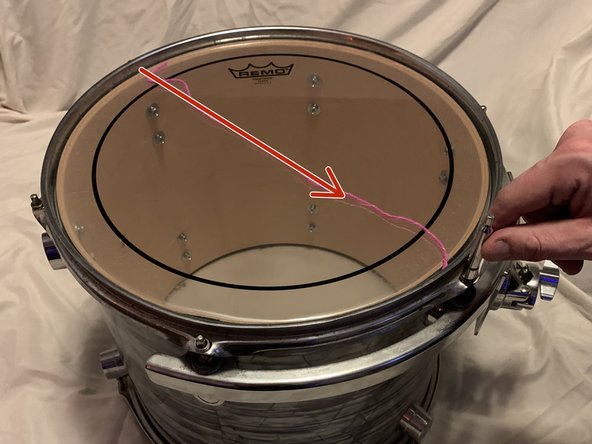
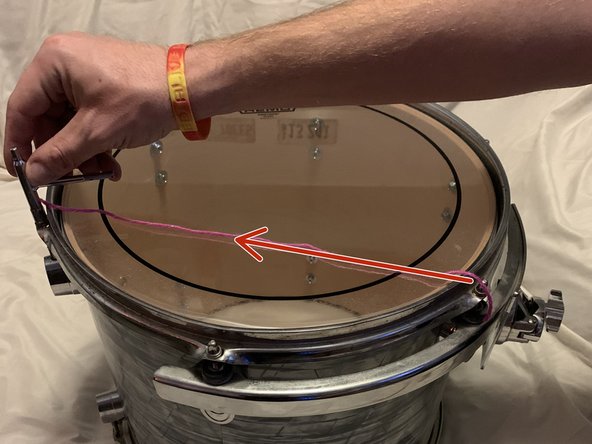


To reassemble your device, follow these instructions in reverse order.

Team

Idaho State University, Team 1-6, Watkins Fall 2021 Member of Idaho State University, Team 1-6, Watkins Fall 2021
ISU-WATKINS-F21S1G6
1 Member
12 Guides authored
