
Dremel 8220 Power Switch Replacement

Shailing Santiago and 3 other contributors
Last updated on May 19, 2016
Views: 2.8K
View statistics:
- Past 24 Hours:
- 3
- Past 7 Days:
- 17
- Past 30 Days:
- 102
- All Time:
- 2,831
Comments: 3
2 comments on steps, 1 guide comment.
Go to guide commentsCompleted: 4 5
4 people have marked this guide "completed." Will you be next?
5 people have marked this guide "completed." Including you — great job!
Favorites: 0 1
No one has favorited (and subscribed to) this guide. Will you be the first?
1 person has favorited (and subscribed to) this guide — and that's you!
Needs More Images
A few more images would make this guide's procedures crystal clear.
Slice and Dice
The steps in this guide should be split up and made into a series of prerequisite guides.
Introduction
Go to step 1 ↓This guide will show you how to open up your device. You will then have access to all the internal components. The power switch can then be replaced with minimal effort
What you need
Tools

-
-
-
Locate the battery at the back of your Dremel. Firmly grasp the battery on both sides and pull. It should easily come out of the battery well.
 Ask FixBot
-
-
-
Remove the ring located around the speed selector switch by pulling apart on either side. This should require very minimal force.
-
-
-
Remove the collar wrench by pushing the gear lock button. Continue to hold this button as you rotate the wrench counter-clockwise until it is removed.
-
-
-
Remove the metal clasp from the battery well. This piece helps hold the plastic shell of the device together. Pry it out by gently applying some force with a screwdriver.
-
-
-
-
Remove the faulty power switch. It should come out of the device without using any force.
-
-


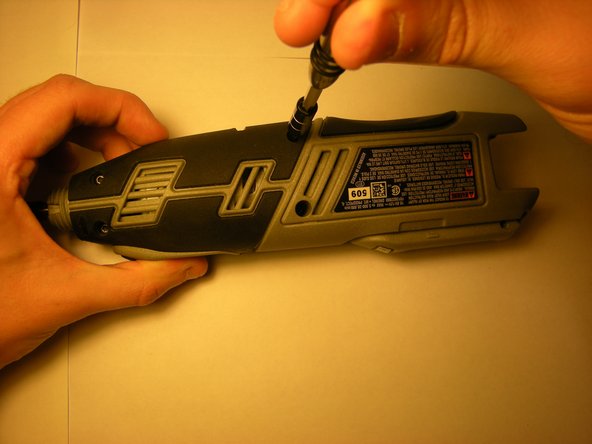
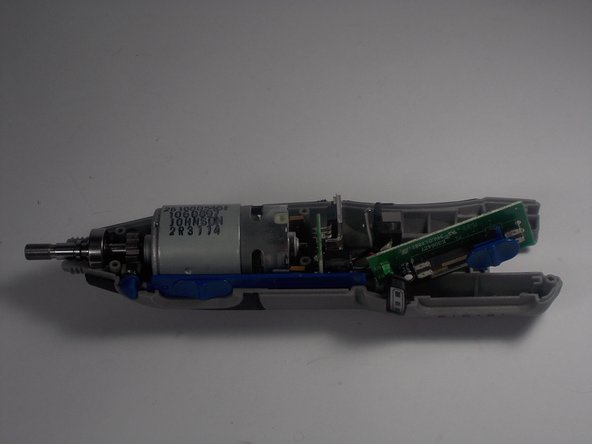
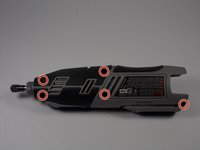
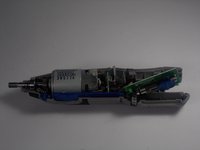

To reassemble your device, follow these instructions in reverse order.
Cancel: I did not complete this guide.
4 other people completed this guide.

Team

UMass Dartmouth, Team 2-8, Isaacson Spring 2016 Member of UMass Dartmouth, Team 2-8, Isaacson Spring 2016
UMASSD-ISAACSON-S16S2G8
3 Members
60 Guides authored
