Free Shipping on Domestic Orders $75+

Dremel 4000 Power Cord Replacement

What you need

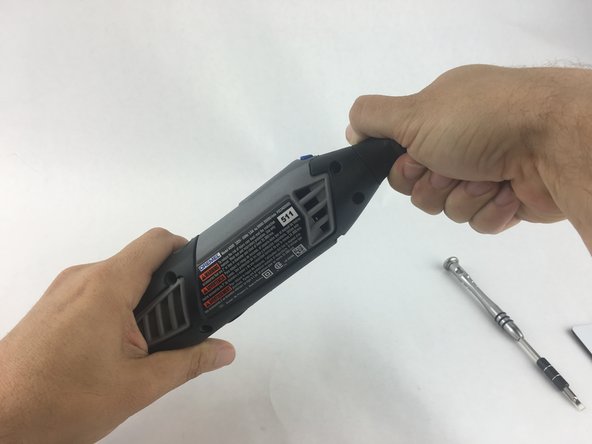
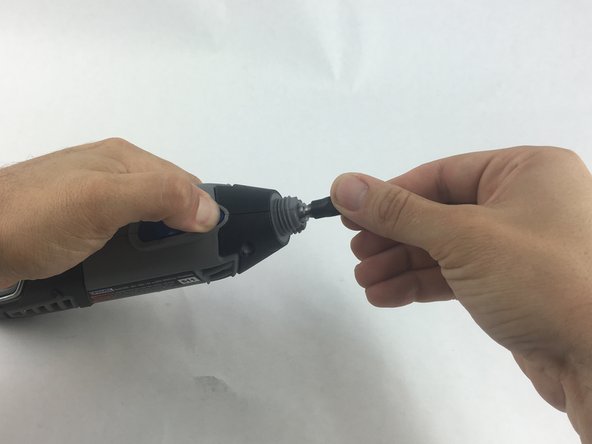
  1. Dremel 4000 Power Cord Replacement, Back Case: step 1, image 1 of 2 Dremel 4000 Power Cord Replacement, Back Case: step 1, image 2 of 2
    • Start by removing the housing cap by unscrewing it.

    • Next, unscrew the now exposed collet nut while holding down the shaft lock button.

    • To remove the collet nut, you may need to use the small open-end wrench provided with the Dremel.

    Ask FixBot

    Add Comment

  2. Dremel 4000 Power Cord Replacement: step 2, image 1 of 1
    • Using your hands, carefully remove hanger from casing.

    Ask FixBot

    Add Comment

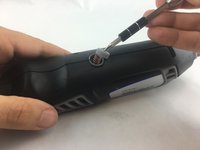
  3. Dremel 4000 Power Cord Replacement: step 3, image 1 of 2 Dremel 4000 Power Cord Replacement: step 3, image 2 of 2
    • Remove the brush caps (one on each side) by using a flathead screwdriver bit.

    • The brush caps are spring loaded.

    Ask FixBot

    Add Comment

  4. Dremel 4000 Power Cord Replacement: step 4, image 1 of 1
    • Using the Torx 15 screwdriver tip, remove the 5 screws (12.5 mm) that hold the casing together.

    Ask FixBot

    Add Comment

  5. Dremel 4000 Power Cord Replacement: step 5, image 1 of 1
    • Use a plastic opening tool to gently wedge apart the hard plastic threads.

    Ask FixBot

    Add Comment

  6. Dremel 4000 Power Cord Replacement: step 6, image 1 of 1
    • Use your hands to carefully remove the back casing so that none of the components fall out.

    Ask FixBot

    Add Comment

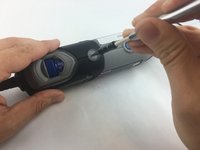
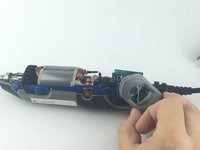
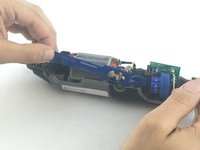
  7. Dremel 4000 Power Cord Replacement, Power Cord: step 7, image 1 of 2 Dremel 4000 Power Cord Replacement, Power Cord: step 7, image 2 of 2
    • To clear access to the electrical assembly, remove the variable speed dial cap and blue power lever, and set them aside.

    Ask FixBot

    Add Comment

  8. Dremel 4000 Power Cord Replacement: step 8, image 1 of 1
    • Using your fingers, carefully pull the circuit board from the casing. This will make it easier to remove the power cord.

    Ask FixBot

    Add Comment

  9. Dremel 4000 Power Cord Replacement: step 9, image 1 of 1
    • Each wire is fed through a small opening on the circuit board and held with a flat head screw.

    • Loosen the screw just enough to remove the wire by gently pulling it with your hand.

    Ask FixBot

    Add Comment

  10. Dremel 4000 Power Cord Replacement: step 10, image 1 of 1
    • Carefully remove both wires from circuit board with your hands.

    • Take careful note of which side has the black wire and which has the white wire.

    Ask FixBot

    Add Comment

Conclusion

To reassemble your device, follow these instructions in reverse order.

Cancel: I did not complete this guide.

5 other people completed this guide.

John Cobb

Member since: 01/20/16

1,842 Reputation

4 Guides authored

Team

USF Tampa, Team 15-4, Remmell Spring 2016 Member of USF Tampa, Team 15-4, Remmell Spring 2016

USFT-REMMELL-S16S15G4

4 Members

17 Guides authored

1 Guide Comment

Super handy guide after my guide dog decided to chew through the cable!

Geoff Palmer - Reply Share

Add Comment

View Statistics:

Past 24 Hours: 3

Past 7 Days: 17

Past 30 Days: 71

All Time: 7,459