Introduction
Use this guide to replace the speaker driver in your DOSS E-Go II wireless speaker. This is important because if the speaker driver is not working properly, then the noise will be muffled or nonexistent. Before continuing with this guide, please make sure that your speaker is charged.
Before continuing this guide, make sure to follow up with the troubleshooting page to check for other reasons why speaker buttons may not be working properly. Beware that if the alternative ways don’t fix your button issue, this potential solution requires soldering.
What you need
-
-
-
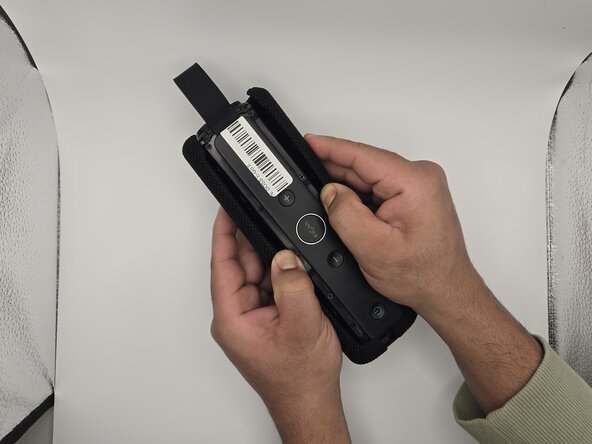
Peel the backing off of the speaker.
-
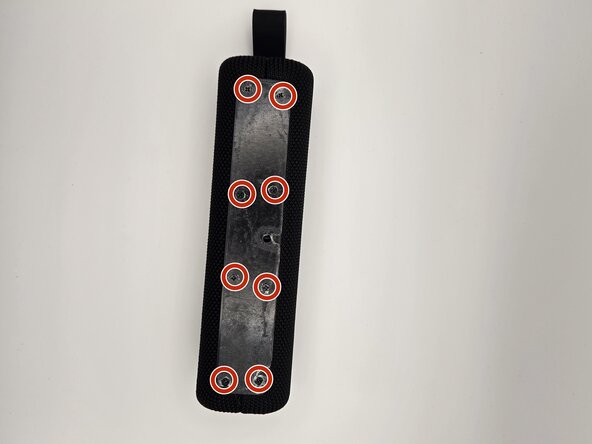
Remove eight 7.9 mm screws using the Phillips #00 screwdriver.
-
Gently pull apart the grille on the sides of the speaker.
 Ask FixBot
-
-
-
-
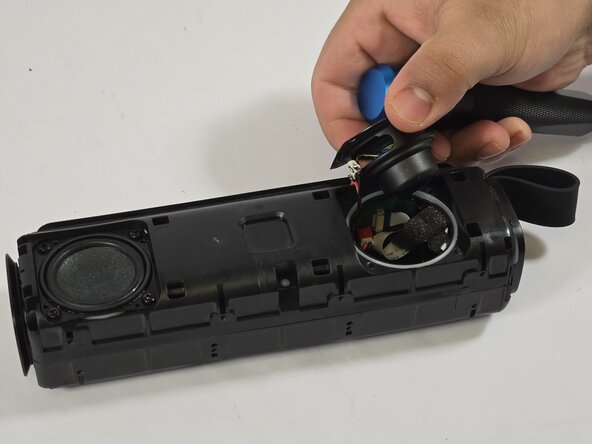
Remove four 9.6 mm screws from one of the speaker drivers using the Phillips #00 screwdriver.
-
Gently flip the driver up away from you.
-
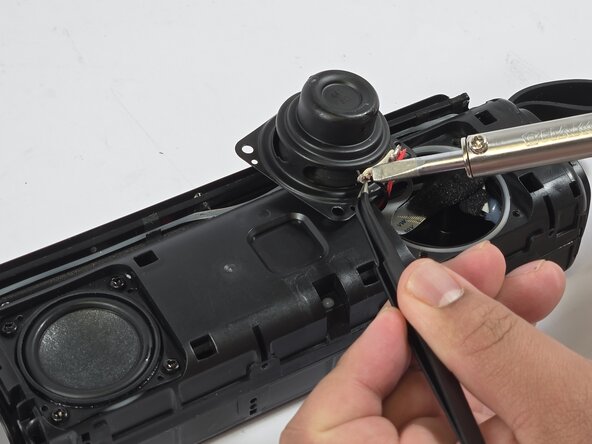
Apply a bead of flux. Press the soldering iron tip firmly to melt the solder.
-
Repeat for the other speaker driver if needed.
-
-





To reassemble your device, follow these instructions in reverse order.
Cancel: I did not complete this guide.
2 other people completed this guide.

Team

Idaho State University, Team 1-6, Watkins Spring 2025 Member of Idaho State University, Team 1-6, Watkins Spring 2025
ISU-WATKINS-S25S1G6
3 Members
60 Guides authored
