Free Shipping on Domestic Orders $75+

Disassembly of Sony BDP-BX18 Blu-Ray player

What you need

  1. Disassembly of Sony BDP-BX18 Blu-Ray player, Blu-Ray Player: step 1, image 1 of 1
    • Remove the face plate by depressing the small plastic tab

    • *NOTE: eject disk tray first before dis-assembly to gain access.

    Ask FixBot

    Add Comment

  2. Disassembly of Sony BDP-BX18 Blu-Ray player: step 2, image 1 of 1
    • Release front 4 tabs in order to slide main cover forward.

    • *NOTE: slide only a few mils forwards before next step.

    Ask FixBot

    Add Comment

  3. Disassembly of Sony BDP-BX18 Blu-Ray player: step 3, image 1 of 1
    • Release tabs on both left and right sides of unit while maintaining forward pressure to slide cover off.

    • *NOTE: The arrows depict where the tabs are located.

    Ask FixBot

    Add Comment

  4. Disassembly of Sony BDP-BX18 Blu-Ray player: step 4, image 1 of 1
    • After cover removal, you should now have access to the internal components.

    • We will begin removing the power supply. Compress the center clip and open plastic shield.

    Ask FixBot

    Add Comment

  5. Disassembly of Sony BDP-BX18 Blu-Ray player: step 5, image 1 of 1
    • Release clip to remove 6 pin power cable.

    Ask FixBot

    Add Comment

  6. Disassembly of Sony BDP-BX18 Blu-Ray player: step 6, image 1 of 1
    • Unscrew two mounting screw for power supply. Slide forward and pull out for removal.

    Ask FixBot

    Add Comment

  7. Disassembly of Sony BDP-BX18 Blu-Ray player: step 7, image 1 of 1
    • This should be your current progress thus far.

    Ask FixBot

    Add Comment

  8. Disassembly of Sony BDP-BX18 Blu-Ray player: step 8, image 1 of 1
    • Release tab to remove plastic power supply shield.

    Ask FixBot

    Add Comment

  9. Disassembly of Sony BDP-BX18 Blu-Ray player: step 9, image 1 of 2 Disassembly of Sony BDP-BX18 Blu-Ray player: step 9, image 2 of 2
    • Remove the three screws.

    • Now depress metal tab to fully remove heat sink clamp.

    Ask FixBot

    Add Comment

  10. Disassembly of Sony BDP-BX18 Blu-Ray player: step 10, image 1 of 2 Disassembly of Sony BDP-BX18 Blu-Ray player: step 10, image 2 of 2
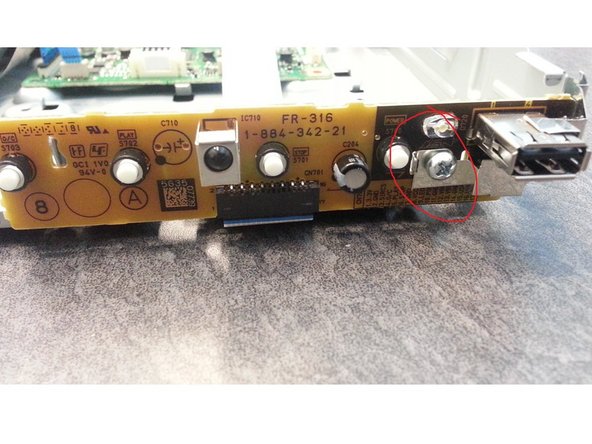
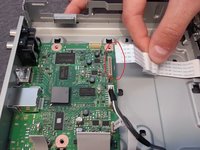
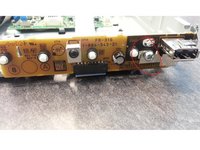
    • Pull on indicated ribbon cable to begin removal of front display.

    • Now remove single screw to remove front display panel.

    Ask FixBot

    Add Comment

  11. Disassembly of Sony BDP-BX18 Blu-Ray player: step 11, image 1 of 1
    • This should be you current dis-assembly progress thus far.

    Ask FixBot

    Add Comment

  12. Disassembly of Sony BDP-BX18 Blu-Ray player: step 12, image 1 of 2 Disassembly of Sony BDP-BX18 Blu-Ray player: step 12, image 2 of 2
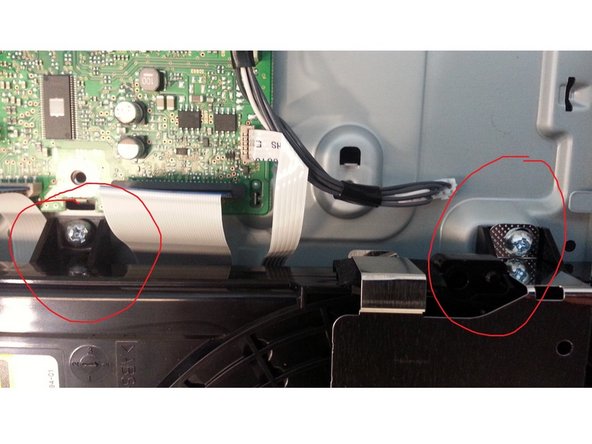
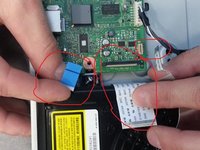
    • Next, remove all three ribbon cables attached to optical disc drive.

    • *NOTE: largest ribbon cable has small secure clamp, be sure to release it before pulling.

    • Now unscrew both mounting screw for optical disc drive for complete removal.

    Ask FixBot

    Add Comment

  13. Disassembly of Sony BDP-BX18 Blu-Ray player: step 13, image 1 of 1
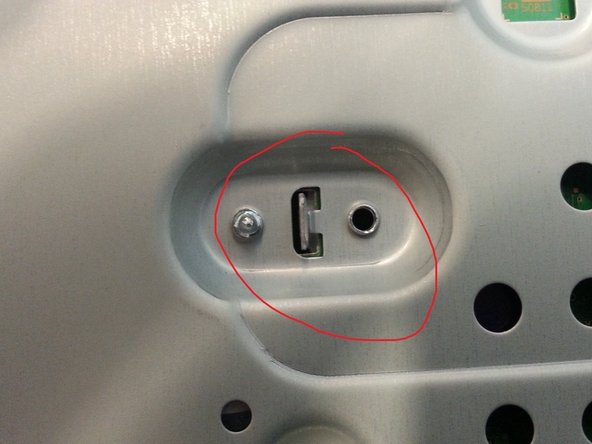
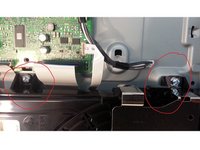
    • To completely remove the main board, locate screws on back of unit. Unscrew these 2 screws and then slide main board out.

    Ask FixBot

    Add Comment

  14. Disassembly of Sony BDP-BX18 Blu-Ray player: step 14, image 1 of 1
    • You should now be completely dis-assembled. For further dis-assembly of the optical disc drive, continue to step 15.

    Ask FixBot

    Add Comment

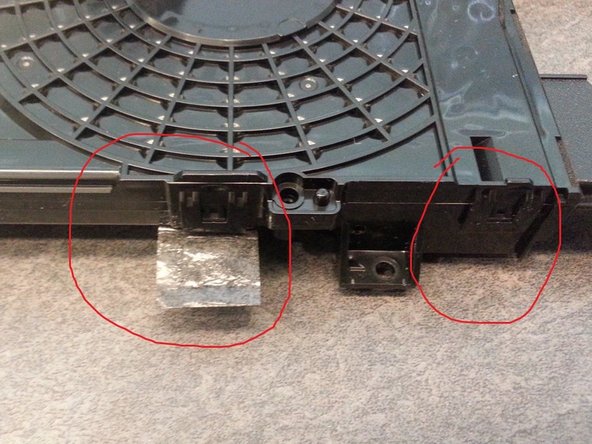
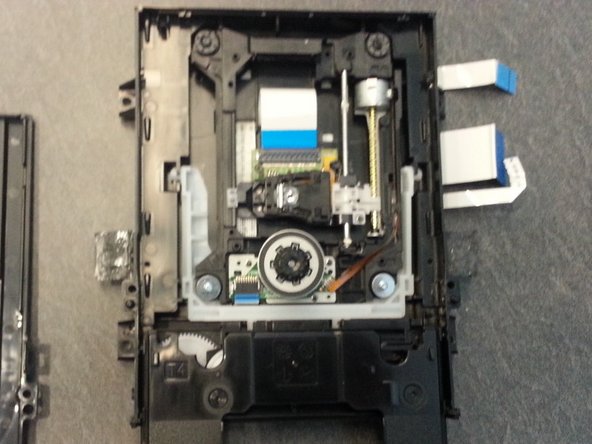
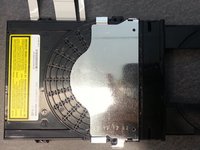
  15. Disassembly of Sony BDP-BX18 Blu-Ray player: step 15, image 1 of 3 Disassembly of Sony BDP-BX18 Blu-Ray player: step 15, image 2 of 3 Disassembly of Sony BDP-BX18 Blu-Ray player: step 15, image 3 of 3
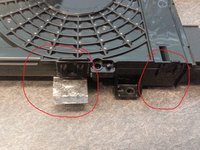
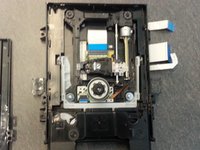
    • First remove metal shroud exposing tabs.

    • Peel back security tape and release all 4 tabs (2 on each side) for removal of top cover.

    • Now the internal components of the optical disc drive are now exposed.

    Ask FixBot

    Add Comment

Conclusion

To reassemble your device, follow these instructions in reverse order.

Cancel: I did not complete this guide.

6 other people completed this guide.

TEAM 7

Member since: 04/01/13

335 Reputation

1 Guide authored

8 Guide Comments

Hi! I have just a quick question! The front display panel of my Sony Blu Ray player had broken! The small board with the USB mounted onto it, remote sensor and buttons! What is the name of this board? I was looking to order a replacement

earlovann - Reply Share

Nice info. Need to know how to get replacement bluray player. Any ideas? Do not want to buy new TV yet.

Keith - Reply Share

now I know I'm missing lots of parts...lol

Tina Marie - Reply Share

Thanks! the hardest part was getting the tray out.

Blake Horsfall - Reply Share

Cannon proceed past 3, I dont understand how you are supposed to release the tabs and press forward, I only have two hands. The tabs click back in place immediately and I don't have any place to get a grip of to remove the plate

Sira Q - Reply Share

Add Comment

View Statistics:

Past 24 Hours: 0

Past 7 Days: 10

Past 30 Days: 58

All Time: 18,386