Disassembling the Nokia 6300

LucasJV and 4 other contributors
Last updated on Feb 15, 2016
Views: 26K
View statistics:
- Past 24 Hours:
- 7
- Past 7 Days:
- 46
- Past 30 Days:
- 195
- All Time:
- 25,829
Comments: 1
1 guide comment.
Go to guide commentsCompleted: 20 21
20 people have marked this guide "completed." Will you be next?
21 people have marked this guide "completed." Including you — great job!
Favorites: 15 16
15 people have favorited (and subscribed to) this guide. Will you be next?
16 people have favorited (and subscribed to) this guide — including you!
Community-Contributed Guide
An awesome member of our community made this guide. It was not created by iFixit staff.
Introduction
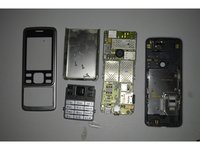
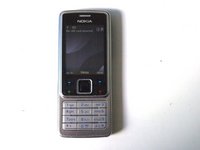
Go to step 1 ↓Disassembling the Nokia 6300 is not very hard and if you know how to disassemble other Nokia phones this will be very easy. You need a Torx T6 screwdriver.
What you need
Tools

-
-
-
Take off the back cover by pushing it down and sliding it backwards.
 Ask FixBot
-
-
-
Take out the battery, SIM card, and MicroSD card.
-
Unscrew the two T6 Torx screws.
-
-
-
Try to seperate the front cover from the rest of the phone. The front cover is held by four plastic clips.
-
-
-
You can take off the keypad now, this is sitting loose on top of the sensors.
-
Unscrew the four remaining T6 Torx screws.
-
-
-
-
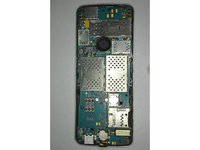
The motherboard with it's screen are now loose, you can pop it right out.
-
If you've been using this phone for a while, there's probably some dust inside the back shell.
-
There's a lot of contacts exposed, so make sure not to damage those.
-
-


To reassemble your device, follow these instructions in reverse order.
Cancel: I did not complete this guide.
20 other people completed this guide.