
Disassembling Soundmates V2 Case

darth mango and one other contributor
Last updated on May 6, 2024
Views: 1.4K
View statistics:
- Past 24 Hours:
- 5
- Past 7 Days:
- 29
- Past 30 Days:
- 108
- All Time:
- 1,428
Comments: 0
No one has left comments on this guide. Will you be first?
Go to guide commentsCompleted: 2 3
2 people have marked this guide "completed." Will you be next?
3 people have marked this guide "completed." Including you — great job!
Favorites: 0 1
No one has favorited (and subscribed to) this guide. Will you be the first?
1 person has favorited (and subscribed to) this guide — and that's you!
Community-Contributed Guide
An awesome member of our community made this guide. It was not created by iFixit staff.
Introduction
Go to step 1 ↓My earbuds got run over a while ago, so let's take the case apart too! I'm hoping I can reuse the circuitry for another project
What you need
Tools
-
Spudger4.9


-
-
-
Flip open the cover and insert a thin flathead screwdriver in the seam by the hinge
-
Rotate the screwdriver just enough to create a gap between the two halves of the case
-
If this doesn't work very well, try the other side
-
Insert a spudger or another flathead bit into the new gap
 Ask FixBot
-
-
-
Once you've created a small gap, the lid should come off fairly easily
-
Run the spudger around the case until the two halves separate
-
-
-
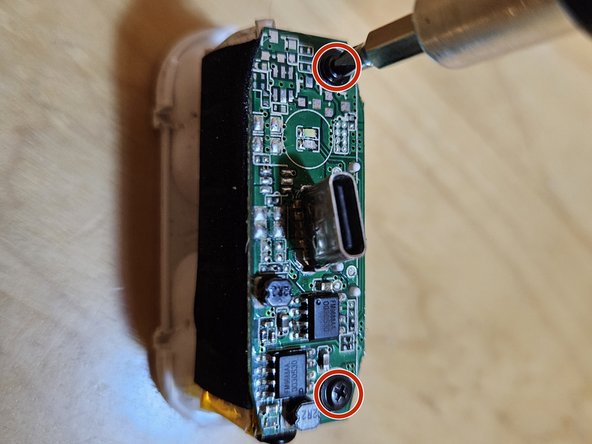
Gently lift the circuitboard off. Not too high; it's still wired to the battery
-
Now just pull off the battery; it's only held down by a sticky foam pad
-
-
-




To reassemble your device, follow these instructions in reverse order.
Cancel: I did not complete this guide.
2 other people completed this guide.

