Free Shipping on Domestic Orders $75+

Disassembling Sony CPF-IP001 Main Speaker Housing Disassembly

What you need

  1. Disassembling Sony CPF-IP001 Main Speaker Housing Disassembly, Main Speaker Housing Disassembly: step 1, image 1 of 1
    • Remove two 6mm Phillips #0 screws.

    • Remove two 7.5 mm Phillips #0 screws.

    • Remove seven 4 mm Phillips #0 screws.

    Ask FixBot

    Add Comment

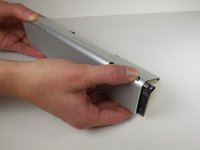
  2. Disassembling Sony CPF-IP001 Main Speaker Housing Disassembly: step 2, image 1 of 3 Disassembling Sony CPF-IP001 Main Speaker Housing Disassembly: step 2, image 2 of 3 Disassembling Sony CPF-IP001 Main Speaker Housing Disassembly: step 2, image 3 of 3
    • Remove six 4 mm Phillips #0 screws from the metal backing.

    • Remove six 5 mm Phillips #0 screws from the metal backing.

    • Using the plastic opening tool, remove the metal plate from the main speaker by gently pulling on it.

    Ask FixBot

    Add Comment

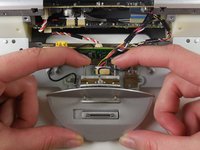
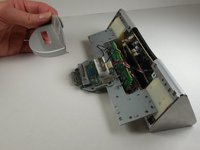
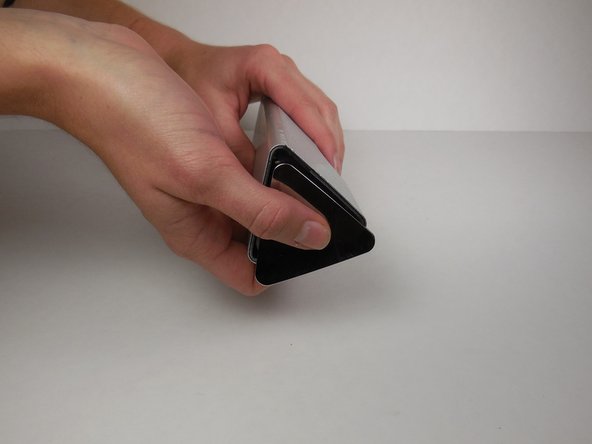
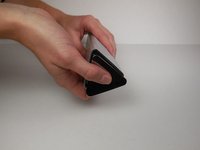
  3. Disassembling Sony CPF-IP001 Main Speaker Housing Disassembly: step 3, image 1 of 2 Disassembling Sony CPF-IP001 Main Speaker Housing Disassembly: step 3, image 2 of 2
    • Remove the plastic dock cover by using two fingers to push the attached metal piece forward and slide it out of the holes.

    Ask FixBot

    Add Comment

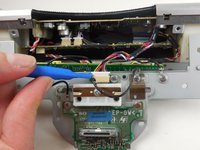
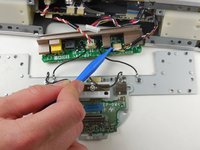
  4. Disassembling Sony CPF-IP001 Main Speaker Housing Disassembly: step 4, image 1 of 3 Disassembling Sony CPF-IP001 Main Speaker Housing Disassembly: step 4, image 2 of 3 Disassembling Sony CPF-IP001 Main Speaker Housing Disassembly: step 4, image 3 of 3
    Tool used on this step:
    Tweezers
    $4.99
    Buy
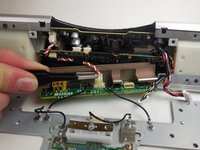
    • Using the plastic opening tool, detach the wires connected to the metal plate

    • When disconnecting the wires, be careful not to pull on the wires themselves. Use the plastic opening tool and the connector to disconnect it.

    • Use the plastic opening tool to remove wires connected to the circuit board on the far right.

    • Use the tweezers to remove wires connected to the circuit board in between the two black wires.

    • Use the tweezers to press the release tab on the front and back of the plastic white wire head.

    • Once the tab is pressed on both sides, lift up to slide wire head out of socket.

    Ask FixBot

    Add Comment

  5. Disassembling Sony CPF-IP001 Main Speaker Housing Disassembly: step 5, image 1 of 1
    • Remove two 5 mm Phillips #0 screws.

    Ask FixBot

    Add Comment

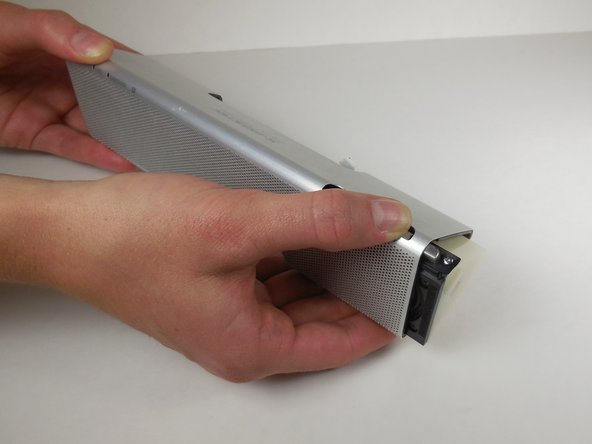
  6. Disassembling Sony CPF-IP001 Main Speaker Housing Disassembly: step 6, image 1 of 3 Disassembling Sony CPF-IP001 Main Speaker Housing Disassembly: step 6, image 2 of 3 Disassembling Sony CPF-IP001 Main Speaker Housing Disassembly: step 6, image 3 of 3
    • Using the metal spudger, loosen the metal cap at the end of the speaker.

    • Slide down the loosened cap to remove it from the end of the speaker.

    • Simultaneously push down on the buttons and slide the speaker out from the casing.

    Ask FixBot

    Add Comment

Conclusion

To reassemble your device, follow these instructions in reverse order.

Cancel: I did not complete this guide.

Marlena Perez

Member since: 04/14/15

442 Reputation

3 Guides authored

Team

Cal Poly, Team 6-14, Maness Spring 2015 Member of Cal Poly, Team 6-14, Maness Spring 2015

CPSU-MANESS-S15S6G14

4 Members

8 Guides authored

0 Guide Comments

Add Comment

View Statistics:

Past 24 Hours: 3

Past 7 Days: 3

Past 30 Days: 27

All Time: 1,063