
Disassembling Samsung Galaxy S Blaze Whole Device

Jake Best and 7 other contributors
Last updated on Jan 10, 2025
Views: 1.4K
View statistics:
- Past 24 Hours:
- 3
- Past 7 Days:
- 25
- Past 30 Days:
- 93
- All Time:
- 1,367
Comments: 0
No one has left comments on this guide. Will you be first?
Go to guide commentsCompleted: 2 3
2 people have marked this guide "completed." Will you be next?
3 people have marked this guide "completed." Including you — great job!
Favorites: 0 1
No one has favorited (and subscribed to) this guide. Will you be the first?
1 person has favorited (and subscribed to) this guide — and that's you!
Action Shots
Be an action hero! This guide needs images that better demonstrate how to perform specific actions.
Slice and Dice
The steps in this guide should be split up and made into a series of prerequisite guides.
Introduction
Go to step 1 ↓This guide allows users of the Samsung Galaxy S Blaze to take the phone apart. You will need to be careful with the screws that are inside the device, the screws will strip easily. To properly disassemble the phone you will need a Phillips Head screw driver size 00 and a flat wedge opening device.
What you need
Tools


-
-
-
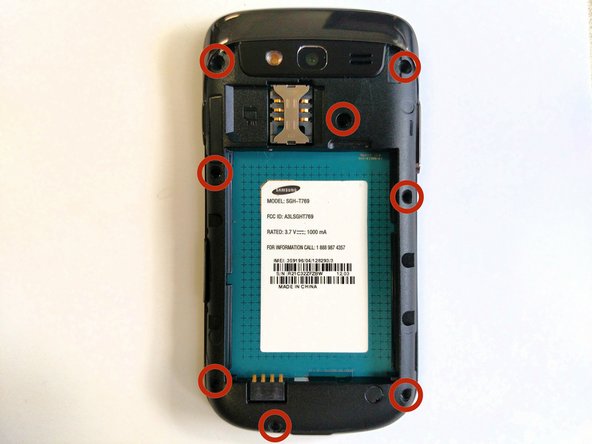
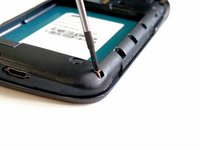
Use a Phillips head screwdriver size 00.
-
Remove the 4mm screws from the frame.
-
-
-
Remove the frame from the phone by using the blue plastic opening tool.
-
Work around the phone with the tool until the frame is off.
-
-
-
The SD card slot is held in place by a small tab.
-
Unhook the tab of the SD card slot, from the frame of the phone.
-
-
-
The power button is attached to the phone with two prongs.
-
Unhook the prongs of the power button from the frame of the phone.
-
-
-
-
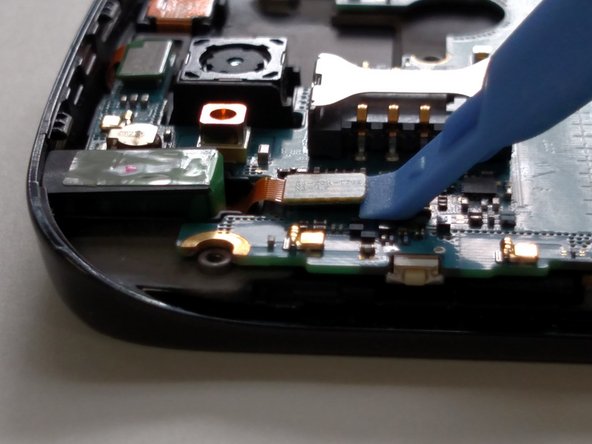
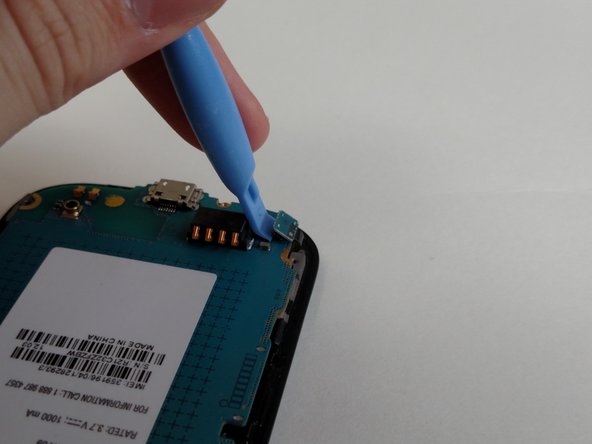
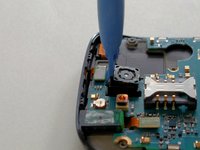
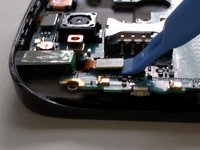
Use the blue plastic opening tool to unlatch the wire ribbons from the motherboard.
-
-
-
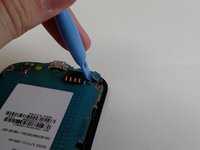
Unlatch the final ribbon cable connector from the phone.
-
Remove the motherboard from the phone.
-

 Ask FixBot






To reassemble your device, follow these instructions in reverse order.
If there is something wrong with your device, try this: Samsung Galaxy S Blaze 4G Troubleshooting
Cancel: I did not complete this guide.
2 other people completed this guide.

Team

Sam Houston State, Team 11-1, Blackburne Winter 2015 Member of Sam Houston State, Team 11-1, Blackburne Winter 2015
SHSU-BLACKBURNE-W15S11G1
3 Members
84 Guides authored
