Free Shipping on Domestic Orders $75+

Disassembling Polaroid a520 Battery Cover

What you need

    1. Disassembling Polaroid a520 Battery Cover, Battery: step 1, image 1 of 2 Disassembling Polaroid a520 Battery Cover, Battery: step 1, image 2 of 2
      • Place your thumb on the battery cover and push left towards the arrow.

      • The cover will release and pop open.

      Ask FixBot

      Add Comment

    2. Disassembling Polaroid a520 Battery Cover: step 2, image 1 of 1
      • Remove the batteries from the camera.

      Ask FixBot

      Add Comment

    1. Disassembling Polaroid a520 Battery Cover, Casing: step 3, image 1 of 1
      • Remove four 3 mm screws on the right side of the camera using a Phillips #1 screwdriver.

      • This will release the front and back casings.

      Ask FixBot

      Add Comment

    2. Disassembling Polaroid a520 Battery Cover: step 4, image 1 of 1
      • Use your nail or a flat object to pry up the edge of the front casing. Push the casing up and back.

      • Repeat this step for the back casing.

      Ask FixBot

      Add Comment

    1. Disassembling Polaroid a520 Battery Cover, LCD Screen: step 5, image 1 of 1
      • Under the screen, locate the black plastic strip that sits above the white plastic strip.

      Ask FixBot

      Add Comment

    2. Disassembling Polaroid a520 Battery Cover: step 6, image 1 of 1
      • Pull both sides of the black piece upward-about a mm.

      • The black plastic piece is not meant to come all the way off, just enough to release the screen.

      • Once the piece is lifted carefully slide the screen out of the slot.

      Ask FixBot

      Add Comment

    1. Disassembling Polaroid a520 Battery Cover, Battery Cover: step 7, image 1 of 1
      • Remove the four 6mm screws from the inner casing using a Phillips #00 screwdriver.

      Ask FixBot

      Add Comment

    2. Disassembling Polaroid a520 Battery Cover: step 8, image 1 of 1
      • Pull the inner casing off. If all the screws are out, the casing will come off easily.

      Ask FixBot

      Add Comment

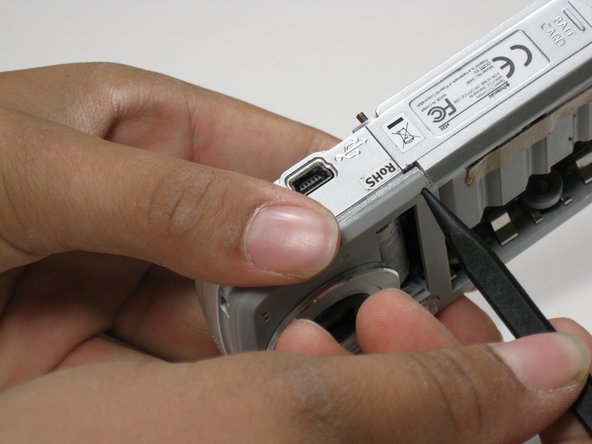
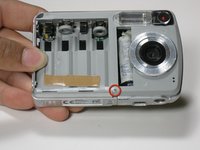
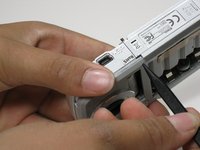
    3. Disassembling Polaroid a520 Battery Cover: step 9, image 1 of 2 Disassembling Polaroid a520 Battery Cover: step 9, image 2 of 2
      • Use the pointed end of a spudger to push the push-pin partly through.

      Ask FixBot

      Add Comment

    4. Disassembling Polaroid a520 Battery Cover: step 10, image 1 of 1
      • From the other side pull the pin all the way out. The battery cover will fall off.

      Ask FixBot

      Add Comment

    5. Disassembling Polaroid a520 Battery Cover: step 11, image 1 of 1
      • The spring can now be pulled out of its resting position/holes.

      • Once removed, be sure to set the spring somewhere you won't lose it.

      Ask FixBot

      Add Comment

Conclusion

To reassemble your device, follow these instructions in reverse order.

Cancel: I did not complete this guide.

Dani

Member since: 06/24/10

21 Reputation

7 Guides authored

Team

Cal Poly, Team 3-3, Johann Summer 2010 Member of Cal Poly, Team 3-3, Johann Summer 2010

CPSU-JOHANN-R10S3G3

2 Members

84 Guides authored

0 Guide Comments

Add Comment

View Statistics:

Past 24 Hours: 0

Past 7 Days: 1

Past 30 Days: 21

All Time: 2,763