Free Shipping on Domestic Orders $75+

Disassembling Nokia 2366i Front Display

What you need

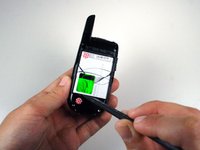
    1. Disassembling Nokia 2366i Front Display, Battery: step 1, image 1 of 2 Disassembling Nokia 2366i Front Display, Battery: step 1, image 2 of 2
      • Turn off the phone.

      • Position the phone so that the back side is in view.

      Ask FixBot
      Add Comment

    2. Disassembling Nokia 2366i Front Display: step 2, image 1 of 1
      • Apply pressure on the cover while simultaneously sliding the cover downward.

      • Remove the back battery cover.

      Ask FixBot
      Add Comment

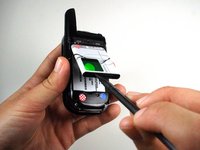
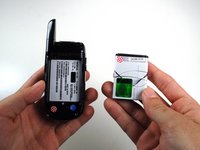
    3. Disassembling Nokia 2366i Front Display: step 3, image 1 of 3 Disassembling Nokia 2366i Front Display: step 3, image 2 of 3 Disassembling Nokia 2366i Front Display: step 3, image 3 of 3
      • Insert the spudger between the base of the phone and the phone battery.

      • Position the phone so that the battery won't fall out of the phone.

      • Carefully lift the battery out of the phone.

      • The battery lifts out of the phone easily.

      Ask FixBot

      Add Comment

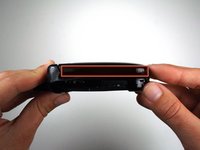
    1. Disassembling Nokia 2366i Front Display, Front Cover: step 4, image 1 of 1
      • Keep the phone closed.

      • Hold the phones sideways with the front cover of the phone facing up.

      Ask FixBot

      Add Comment

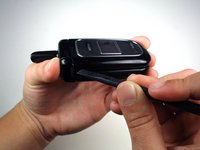
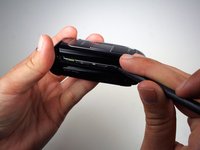
    2. Disassembling Nokia 2366i Front Display: step 5, image 1 of 2 Disassembling Nokia 2366i Front Display: step 5, image 2 of 2
      • Find the slight crease on the side that divides the display assembly in half.

      • Slowly wedge the spudger into the crease.

      • It's a little difficult to perform this step because the crease is narrow. Do not rush because you may damage the phone

      Ask FixBot

      Add Comment

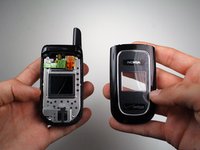
    3. Disassembling Nokia 2366i Front Display: step 6, image 1 of 2 Disassembling Nokia 2366i Front Display: step 6, image 2 of 2
      • Run the spudger all along the crease while lifting up.

      • Separate the front cover from the front base.

      Ask FixBot
      Add Comment

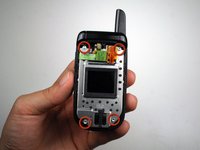
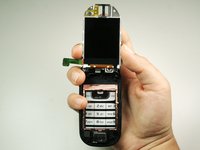
    1. Disassembling Nokia 2366i Front Display, Main Display: step 7, image 1 of 2 Disassembling Nokia 2366i Front Display, Main Display: step 7, image 2 of 2
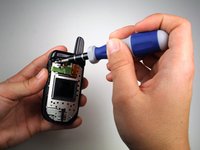
      • Remove the four 5mm screws on the metal casing using the T6 Torx screwdriver.

      Ask FixBot
      Add Comment

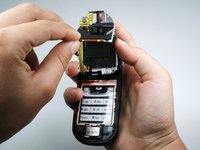
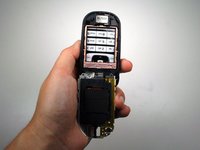
    2. Disassembling Nokia 2366i Front Display: step 8, image 1 of 2 Disassembling Nokia 2366i Front Display: step 8, image 2 of 2
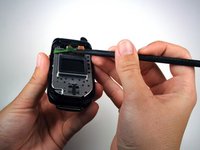
      • Using the spudger, disconnect the green display cable.

      Ask FixBot
      Add Comment

    3. Disassembling Nokia 2366i Front Display: step 9, image 1 of 3 Disassembling Nokia 2366i Front Display: step 9, image 2 of 3 Disassembling Nokia 2366i Front Display: step 9, image 3 of 3
      • Lift the metal casing.

      • Be careful not to pull the casing too hard because it is still attached to the phone by a wire.

      • Remove the main display from under the metal casing.

      Ask FixBot

      Add Comment

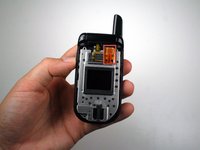
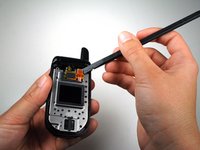
    1. Disassembling Nokia 2366i Front Display, Front Display: step 10, image 1 of 3 Disassembling Nokia 2366i Front Display, Front Display: step 10, image 2 of 3 Disassembling Nokia 2366i Front Display, Front Display: step 10, image 3 of 3
      • Fold the metal casing back over.

      • Disconnect the orange front display data cable with the spudger.

      • Hold the phone so that the antenna is facing towards you.

      • Lift up and flip over the metal casing.

      Ask FixBot

      Add Comment

    2. Disassembling Nokia 2366i Front Display: step 11, image 1 of 1
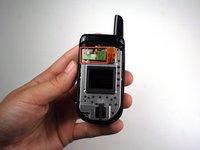
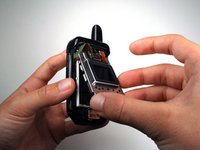
      • Using your fingers, remove the front display.

      Ask FixBot

      Add Comment

Conclusion

To reassemble your device, follow these instructions in reverse order.

Cancel: I did not complete this guide.

One other person completed this guide.

Michael Machado

Member since: 01/21/11

337 Reputation

3 Guides authored

Team

Cal Poly, Team 1-14, Amido Winter 2011 Member of Cal Poly, Team 1-14, Amido Winter 2011

CPSU-AMIDO-W11S1G14

5 Members

96 Guides authored

0 Guide Comments

Add Comment

View Statistics:

Past 24 Hours: 1

Past 7 Days: 2

Past 30 Days: 30

All Time: 1,368