Introduction
This guide will show how to disassemble the front of a Nikon Coolpix 5600. One might need to disassemble the front of a camera for maintenance, replacing the camera lens, repairs, modifications, and physical damage etc. The front of the camera might also be disassembled to fix the lens, to clean, and make modifications.
What you need
-
-
-
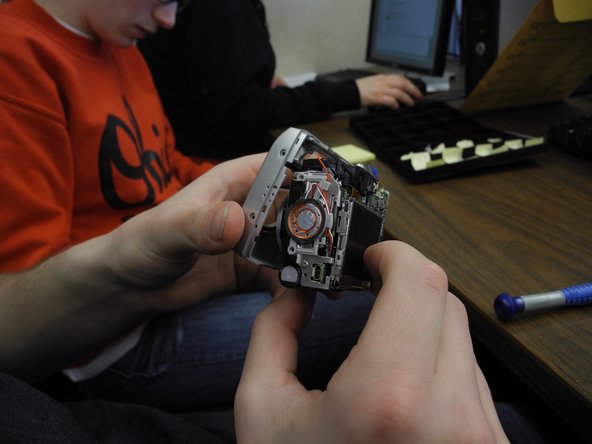
Hello! Today you are going to be learning how to disassemble the front camera of a Nikon Coolpix 5600. You will need a Nikon Coolpix, Ifixit opening tool and a Phillips Screwdriver #00. The first step is to pull the front of the camera off of the mother board. To do this you must pull at each side of front and back on the camera.
 Ask FixBot
-
-
-
Next, pull the grey circular facet that sits on the bottom outside of the camera off by using blue Ifixit opening tool. It is okay to use force if needed.
-
-
-
-
Now take your Phillips #00 screwdriver and unscrew the bottom right corner screw. Once the screw is out just place it on the table.
-
-
-
Finally, take the same Phillips screwdriver and unscrew the top right corner screw. Place the top screw on the table as well. Now you have accurately disassembled the front camera of a Nikon Coolpix 5600.
-
-



To reassemble your device, follow these instructions in order.
Cancel: I did not complete this guide.
3 other people completed this guide.

Team

Ohio State, Team 1-2, Buehl Spring 2013 Member of Ohio State, Team 1-2, Buehl Spring 2013
OSU-BUEHL-S13S1G2
2 Members
60 Guides authored
