Free Shipping on Domestic Orders $75+

Disassembling KDDI Kyocera A5521K Back Plate

What you need

    1. Disassembling KDDI Kyocera A5521K Back Plate, Battery: step 1, image 1 of 3 Disassembling KDDI Kyocera A5521K Back Plate, Battery: step 1, image 2 of 3 Disassembling KDDI Kyocera A5521K Back Plate, Battery: step 1, image 3 of 3
      • Turn the phone over to expose the battery cover.

      • Apply pressure to the back of the battery cover to slide it down.

      • The battery cover is now separate from the phone.

      Ask FixBot

      Add Comment

    2. Disassembling KDDI Kyocera A5521K Back Plate: step 2, image 1 of 3 Disassembling KDDI Kyocera A5521K Back Plate: step 2, image 2 of 3 Disassembling KDDI Kyocera A5521K Back Plate: step 2, image 3 of 3
      • Remove the battery by pushing it up and out from the bottom.

      • The battery, cover, and phone should now be separated.

      Ask FixBot

      Add Comment

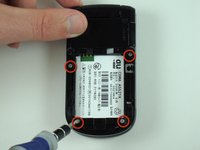
    1. Disassembling KDDI Kyocera A5521K Back Plate, Back Plate: step 3, image 1 of 2 Disassembling KDDI Kyocera A5521K Back Plate, Back Plate: step 3, image 2 of 2
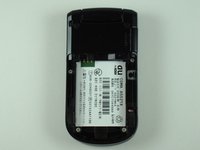
      • Remove the four screws with the Y0 screwdriver.

      Ask FixBot

      Add Comment

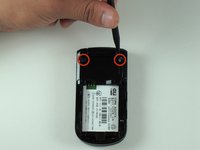
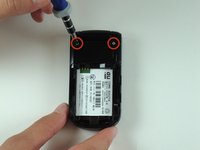
    2. Disassembling KDDI Kyocera A5521K Back Plate: step 4, image 1 of 2 Disassembling KDDI Kyocera A5521K Back Plate: step 4, image 2 of 2
      • Remove the black, rubber screw caps towards the top of the back of the phone to reveal two additional screws.

      • Remove the two screws with a Y0 screwdriver.

      Ask FixBot

      Add Comment

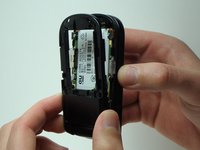
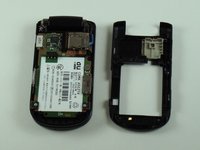
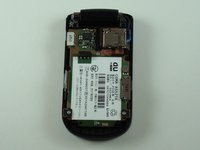
    3. Disassembling KDDI Kyocera A5521K Back Plate: step 5, image 1 of 3 Disassembling KDDI Kyocera A5521K Back Plate: step 5, image 2 of 3 Disassembling KDDI Kyocera A5521K Back Plate: step 5, image 3 of 3
      • Rotate the phone 180 degrees.

      • Carefully separate the back plate from the remainder of the phone.

      • The back plate should now be detached from the rest of the phone.

      Ask FixBot

      Add Comment

Conclusion

To reassemble your device, follow these instructions in reverse order.

Cancel: I did not complete this guide.

2 other people completed this guide.

Dominic Grisafe

Member since: 04/15/10

157 Reputation

10 Guides authored

Team

Cal Poly, Team 28-25, Regan Spring 2010 Member of Cal Poly, Team 28-25, Regan Spring 2010

CPSU-REGAN-S10S28G25

4 Members

120 Guides authored

0 Guide Comments

Add Comment

View Statistics:

Past 24 Hours: 11

Past 7 Days: 19

Past 30 Days: 33

All Time: 3,192