Introduction
HP 14-ck0061st
ProID: 4AG12UA
-
-
-
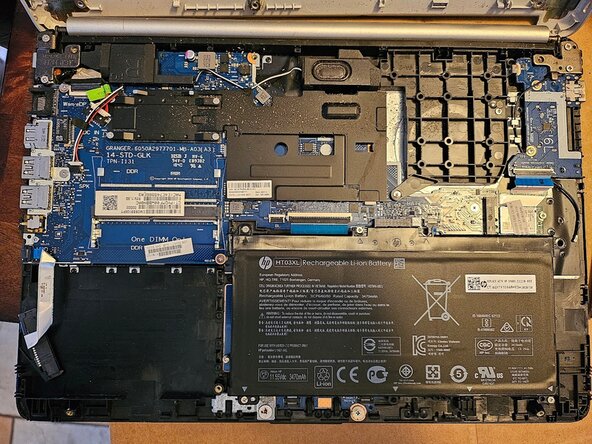
This is what the motherboard looks like after the bottom cover is removed.
-
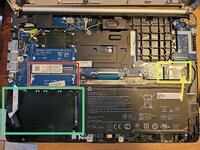
Red is the RAM slot.
-
Green is the SATA drive location.
-
Yellow is the wireless card. Unplug the black cable. Unscrew the single screw.
-
The wireless card is Realtek RTL8723DE. HP P/N: 915618-003. Front is labeled AW-NB274NF.
 Ask FixBot
-
-
-

Conclusion
To reassemble your device, follow these instructions in reverse order.
Cancel: I did not complete this guide.
One other person completed this guide.

