Free Shipping on Domestic Orders $75+

Disassembling Canon PowerShot A590 IS Front Cover

Views: 16K

View statistics:

Past 24 Hours:
2
Past 7 Days:
25
Past 30 Days:
122
All Time:
16,111
Comments: 6

3 comments on steps, 3 guide comments.

Go to guide comments
Completed: 5

5 people have marked this guide "completed." Will you be next?

Favorites: 1

1 person has favorited (and subscribed to) this guide. Will you be next?

Time Required: 5 minutes
Difficulty: Easy
Disassembling Canon PowerShot A590 IS Front Cover

Introduction

Go to step 1 ↓

This guide will instruct the user on how to remove the front cover of the Canon A590 IS.

What you need

Tools

    1. Disassembling Canon PowerShot A590 IS Front Cover, Batteries: step 1, image 1 of 2 Disassembling Canon PowerShot A590 IS Front Cover, Batteries: step 1, image 2 of 2
      • The battery hatch is on the bottom of the camera.

      • CAUTION: Locate the switch to open the hatch and push gently toward the front of the camera. Too much force can break the hatch.

      • While the switch is pushed forward, pull the cover away from the camera.

      Ask FixBot

      Add Comment

    2. Disassembling Canon PowerShot A590 IS Front Cover: step 2, image 1 of 1
      • This camera requires AA batteries.

      • To remove batteries, simply allow them to fall out of the camera.

      • Use a fingernail to lift the clock battery out of the camera.

      Ask FixBot

      Add Comment

    3. Disassembling Canon PowerShot A590 IS Front Cover: step 3, image 1 of 1
      • When replacing the AA batteries, verify they are oriented correctly by following the (+) and (-) signs on the camera.

      Ask FixBot

      Add Comment

    1. Disassembling Canon PowerShot A590 IS Front Cover, Back Cover: step 4, image 1 of 1
      • Remove the screw located under the rubber flap on the left side of the camera using a Phillips #00 screwdriver.

      Ask FixBot

      Add Comment

    2. Disassembling Canon PowerShot A590 IS Front Cover: step 5, image 1 of 1
      • Remove the two screws located on the other side of the camera using a Phillips #00 screwdriver.

      Ask FixBot

      Add Comment

    3. Disassembling Canon PowerShot A590 IS Front Cover: step 6, image 1 of 1
      • Remove the three screws located at the bottom of the camera using a Phillips #00 screwdriver.

      Ask FixBot

      Add Comment

    4. Disassembling Canon PowerShot A590 IS Front Cover: step 7, image 1 of 1
      • Open the battery cover.

      • Using the iFixit opening tool, push up gently around all edges of the camera.

      Ask FixBot

      Add Comment

    1. Disassembling Canon PowerShot A590 IS Front Cover, Remove Lens Cover: step 8, image 1 of 1
      • Press and hold down the button shown in the blue circle.

      • While pressing the button, rotate the lens cover in a counter-clockwise direction to remove it.

      Ask FixBot

      Add Comment

    2. Disassembling Canon PowerShot A590 IS Front Cover, Remove Front Cover: step 9, image 1 of 2 Disassembling Canon PowerShot A590 IS Front Cover, Remove Front Cover: step 9, image 2 of 2
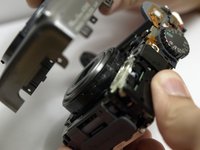
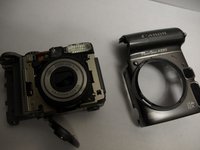
      • Remove the front cover of the camera.

      • This may require a bit of force.

      Ask FixBot

      Add Comment

Conclusion

To reassemble your device, follow these instructions in reverse order.

Cancel: I did not complete this guide.

5 other people completed this guide.

Zach

Member since: 10/11/10

284 Reputation

6 Guides authored

Team

Cal Poly, Team 9-19, Regan Fall 2010 Member of Cal Poly, Team 9-19, Regan Fall 2010

CPSU-REGAN-F10S9G19

4 Members

84 Guides authored

3 Guide Comments

The photos do not show a camera strap, and the instructions don't mention it. Before starting disassembly, I advise removing the camera strap. It make it easier to remove and re-attach the back cover.

jwoconnor - Reply Share

A handy guide. I had an A590IS with a broken battery door latch on the camera body, and I managed to obtain a dead A590IS with a fully intact latch for free. So using this guide I swapped the body shells over! All fixed and working again!

brianinnes81 - Reply Share

l cannot get an answer to my question on why my Canon A590 will not power on.

burks817 - Reply Share

Add Comment

View Statistics:

Past 24 Hours: 2

Past 7 Days: 25

Past 30 Days: 122

All Time: 16,111