Introduction
This is a step-by-step guide to remove the outer case on the AirPort Extreme Model A1034.
What you need
-
-
-
Remove the three 14.3mm T7 Torx screws from the bottom of AirPort.
 Ask FixBot
-
-
-
Remove the 5.1mm Phillips screw from the bottom of the AirPort. This screw is located under the identification sticker. You will have to remove the sticker or make a hole to remove it.
-
-
-
-
Lift the bottom and top casing straight apart and then lift metal casing straight up from the bottom plastic casing.
-
-
-
Unplug the black connector on the top of the metal casing by gently pulling horizontally.
-
-


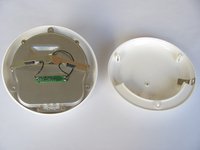
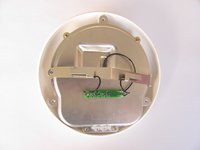

To reassemble your device, follow these instructions in reverse order.
Cancel: I did not complete this guide.
2 other people completed this guide.

Team

Cal Poly, Team 17-15, Regan Fall 2011 Member of Cal Poly, Team 17-15, Regan Fall 2011
CPSU-REGAN-F11S17G15
3 Members
84 Guides authored
