
Dirt Devil Gator Filter Replacement

Ryan Marando and 2 other contributors
Last updated on Apr 29, 2020
Views: 1.5K
View statistics:
- Past 24 Hours:
- 2
- Past 7 Days:
- 13
- Past 30 Days:
- 73
- All Time:
- 1,462
Comments: 3
3 comments on steps.
Completed: 2 3
2 people have marked this guide "completed." Will you be next?
3 people have marked this guide "completed." Including you — great job!
Favorites: 0 1
No one has favorited (and subscribed to) this guide. Will you be the first?
1 person has favorited (and subscribed to) this guide — and that's you!
Introduction
Go to step 1 ↓If your Dirt Devil Gator (Model Number: BD10100) isn’t creating suction, picking up debris, or functioning properly, you may need to replace the filter. Follow this guide to clean/replace the filter on your device.
However before using this guide, you may not need to fully replace the filter, just clean it. A clogged air filter is a simple problem with a quick fix to get you started vacuuming again quickly!
The filter on the Dirt Devil Gator helps collect dirt and debris from the ground into your vacuum. A clogged filter will not pick up dirt or hold on to already picked up debris. If the filter is destroyed, it will need a replacement.
Before beginning, make sure to power off your device completely and disconnect from any external power source.
-
-
-
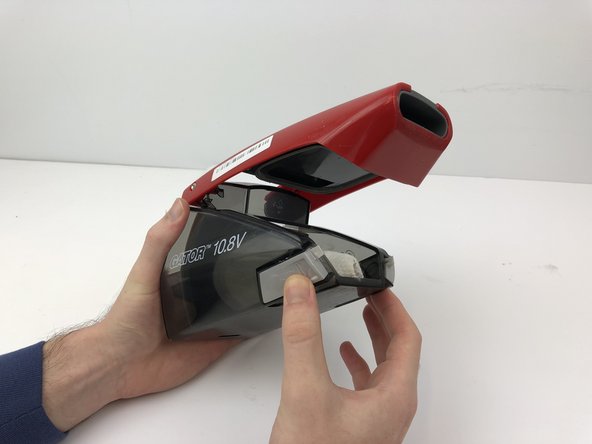
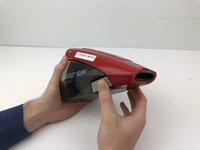
To get to the filter, press the button on the top of the vacuum to split your device in two.
 Ask FixBot
-
-
-
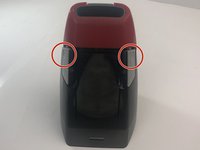
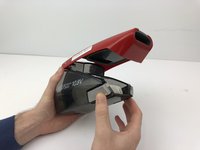
Press the two grey buttons on either side of the filter chamber inwards to release the chamber.
-
-
-
-
Remove all debris and obstructions around the filter itself.
-
Remove from the filter chamber by pulling out the filter.
-
-
-
Replace it with a new or restored filter by placing it back in the filter chamber.
-
-


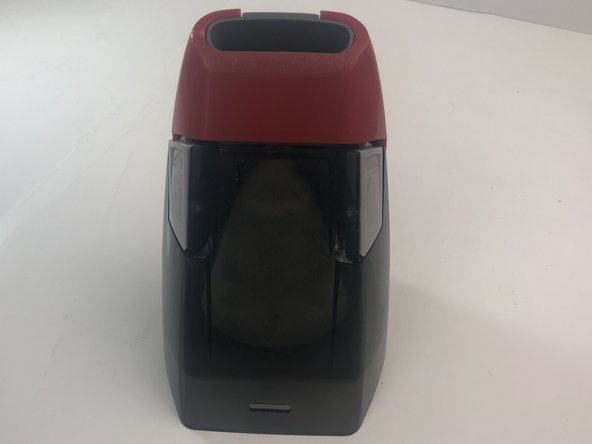




To reassemble your device, follow these instructions in reverse order.
Cancel: I did not complete this guide.
2 other people completed this guide.

Team

Embry-Riddle Aeronautical University, Team S5-G4, Watkins Spring 2020 Member of Embry-Riddle Aeronautical University, Team S5-G4, Watkins Spring 2020
ERAU-WATKINS-S20S5G4
4 Members
60 Guides authored
