
Digitech XC- 5206 Dual Speaker Replacement

Kassidy Wyckoff and one other contributor
Last updated on Dec 28, 2018
Views: 691
View statistics:
- Past 24 Hours:
- 2
- Past 7 Days:
- 7
- Past 30 Days:
- 46
- All Time:
- 691
Comments: 0
No one has left comments on this guide. Will you be first?
Go to guide commentsCompleted: 1 2
1 person has marked this guide "completed." Will you be next?
2 people have marked this guide "completed." Including you — great job!
Favorites: 0 1
No one has favorited (and subscribed to) this guide. Will you be the first?
1 person has favorited (and subscribed to) this guide — and that's you!
Featured Student Guide
This guide has been the hard work of our awesome students and is found to be exceptionally cool by the iFixit staff.
Introduction
Go to step 1 ↓This guide will help users replace damaged or malfunctioning internal dual speakers on the Digitech XC-5206 Bluetooth speaker. Please refer to troubleshooting page before beginning replacement guide steps.
What you need
Tools
-
Spudger4.9
-
-


-
-
-
Remove the front panel by forcefully placing the flat edge of the spudger in between the panel and the plastic housing.
-
Angle the spudger and use your fingers to pry the panel off.
 Ask FixBot
-
-
-
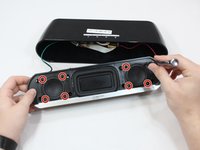
Unscrew all eight 14mm screws closest to the edges of the speaker by spinning a size PH2 screwdriver in a counterclockwise motion.
-
Dislodge face by holding speaker face down. Gently shake or tap front against table to fully remove face.
-
OR grab ahold of the silver tab to pull the speaker face out. This may require force.
-
-
-
-
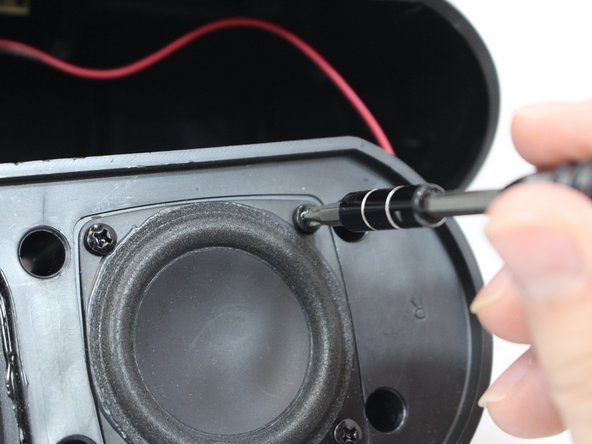
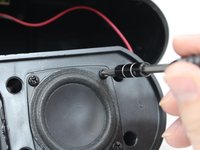
Unscrew the eight 10mm screws closest to the center of the speakers by spinning a Phillips screwdriver with a PH2 bit in a counterclockwise motion.
-
Push speaker bulbs forward and out of slot.
-
-
-
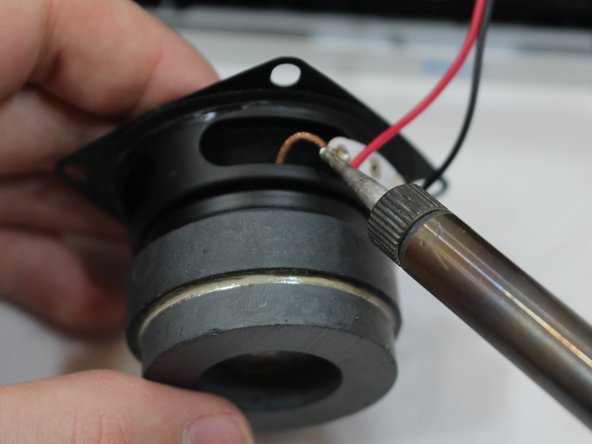
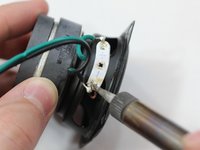
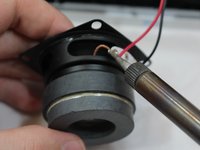
Remove green (left) and red (right) wired connection to speaker bulb using a soldering station.
-
-



To reassemble your device, follow these instructions in reverse order.
Cancel: I did not complete this guide.
One other person completed this guide.

Team

Eastern Washington University, Team S2-G4, Munoz Fall 2018 Member of Eastern Washington University, Team S2-G4, Munoz Fall 2018
EWU-MUNOZ-F18S2G4
4 Members
48 Guides authored
