Free Shipping on Domestic Orders $75+

DigiLand DL700D Motherboard Replacement

What you need

    1. DigiLand DL700D Motherboard Replacement, Battery: step 1, image 1 of 3 DigiLand DL700D Motherboard Replacement, Battery: step 1, image 2 of 3 DigiLand DL700D Motherboard Replacement, Battery: step 1, image 3 of 3
      • Remove the device's back cover using the plastic opening tool.

      Ask FixBot

      Add Comment

    2. DigiLand DL700D Motherboard Replacement: step 2, image 1 of 3 DigiLand DL700D Motherboard Replacement: step 2, image 2 of 3 DigiLand DL700D Motherboard Replacement: step 2, image 3 of 3
      • Remove the three pieces of adhesive placed over the edges of the battery.

      Ask FixBot

      Add Comment

    3. DigiLand DL700D Motherboard Replacement: step 3, image 1 of 1
      • Remove the wifi antenna from the bottom of the battery.

      Ask FixBot

      Add Comment

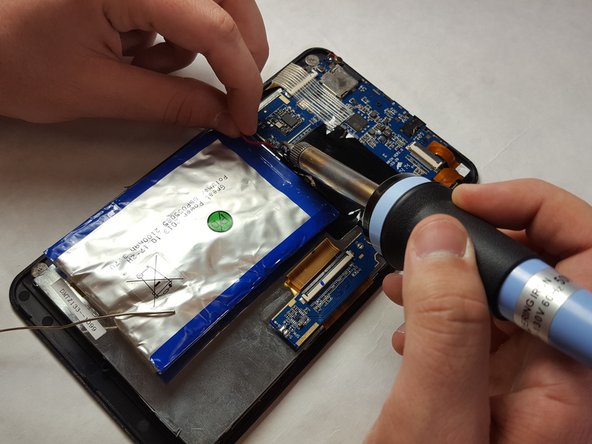
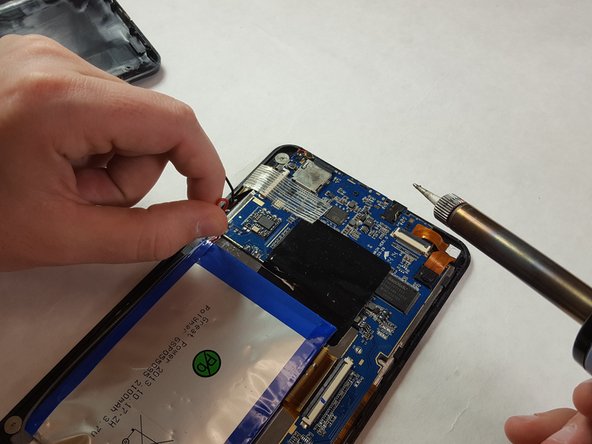
    4. DigiLand DL700D Motherboard Replacement: step 4, image 1 of 3 DigiLand DL700D Motherboard Replacement: step 4, image 2 of 3 DigiLand DL700D Motherboard Replacement: step 4, image 3 of 3
      • Heat up the soldering iron, proceed to desolder and remove the battery connections.

      Ask FixBot
      Add Comment

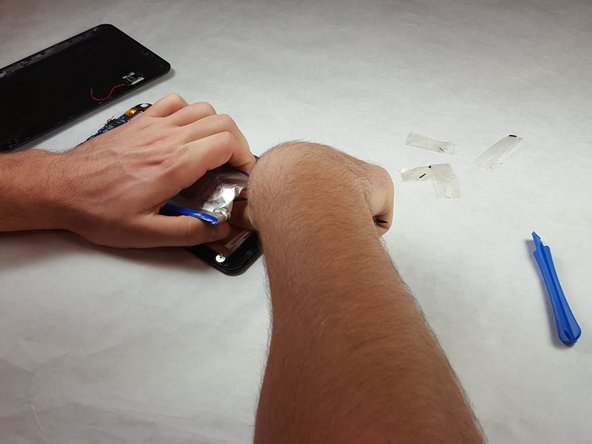
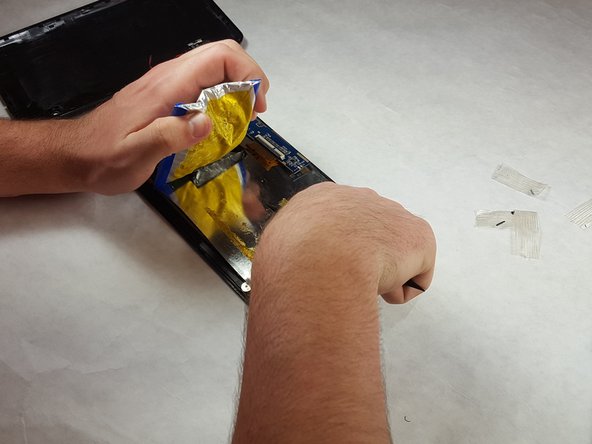
    5. DigiLand DL700D Motherboard Replacement: step 5, image 1 of 3 DigiLand DL700D Motherboard Replacement: step 5, image 2 of 3 DigiLand DL700D Motherboard Replacement: step 5, image 3 of 3
      • Remove the battery from the casing using a nylon spudger.

      • Be careful not to puncture the battery casing.

      • Carefully peel the battery free from the casing.

      Ask FixBot

      Add Comment

    1. DigiLand DL700D Motherboard Replacement, Motherboard: step 6, image 1 of 1
      • Desolder the WiFi antenna from the motherboard.

      Ask FixBot

      Add Comment

    2. DigiLand DL700D Motherboard Replacement: step 7, image 1 of 3 DigiLand DL700D Motherboard Replacement: step 7, image 2 of 3 DigiLand DL700D Motherboard Replacement: step 7, image 3 of 3
      • Remove 3 ribbon cables attached to the motherboard by lifting the plastic retainer, then pulling the cable out.

      Ask FixBot

      Add Comment

    3. DigiLand DL700D Motherboard Replacement: step 8, image 1 of 2 DigiLand DL700D Motherboard Replacement: step 8, image 2 of 2
      • Remove adhesive attaching the motherboard to the casing.

      Ask FixBot

      Add Comment

    4. DigiLand DL700D Motherboard Replacement: step 9, image 1 of 3 DigiLand DL700D Motherboard Replacement: step 9, image 2 of 3 DigiLand DL700D Motherboard Replacement: step 9, image 3 of 3
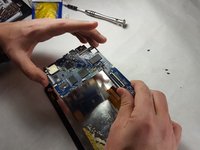
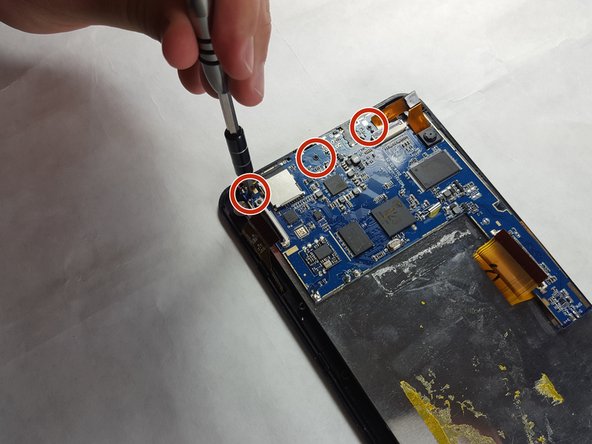
      • Remove the three 2.5 mm Phillips #1 screws holding the motherboard to the case.

      Ask FixBot

      Add Comment

    5. DigiLand DL700D Motherboard Replacement: step 10, image 1 of 3 DigiLand DL700D Motherboard Replacement: step 10, image 2 of 3 DigiLand DL700D Motherboard Replacement: step 10, image 3 of 3
      • Remove motherboard from the case and replace.

      Ask FixBot

      Add Comment

Conclusion

To reassemble, follow these instructions in reverse order.

Cancel: I did not complete this guide.

Justin Edwards

Member since: 03/29/18

241 Reputation

2 Guides authored

Team

IUPUI, Team S3-G4, Harley Spring 2018 Member of IUPUI, Team S3-G4, Harley Spring 2018

IUPUI-HARLEY-S18S3G4

3 Members

24 Guides authored

0 Guide Comments

Add Comment

View Statistics:

Past 24 Hours: 0

Past 7 Days: 6

Past 30 Days: 24

All Time: 586