Free Shipping on Domestic Orders $75+

Dell XPS M1730 Screen Replacement

What you need

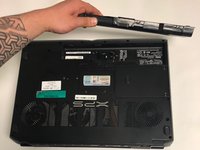
    1. Dell XPS M1730 Screen Replacement, Battery: step 1, image 1 of 1
      • Push the sliding button near the battery compartment.

      Ask FixBot

      Add Comment

    2. Dell XPS M1730 Screen Replacement: step 2, image 1 of 1
      • Slide the button next to the battery and lift up on the lip of the battery edge.

      Ask FixBot
      Add Comment

    3. Dell XPS M1730 Screen Replacement: step 3, image 1 of 2 Dell XPS M1730 Screen Replacement: step 3, image 2 of 2
      • Lift and remove the battery.

      Ask FixBot
      Add Comment

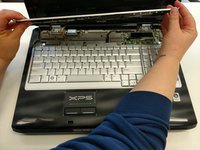
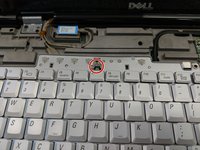
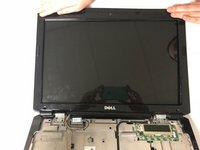
    1. Dell XPS M1730 Screen Replacement, Keyboard: step 4, image 1 of 3 Dell XPS M1730 Screen Replacement, Keyboard: step 4, image 2 of 3 Dell XPS M1730 Screen Replacement, Keyboard: step 4, image 3 of 3
      • Remove the plastic trim at the base of the screen screen. Start from the tab on the right side and work to the left side.

      Ask FixBot
      Add Comment

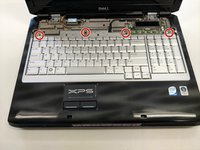
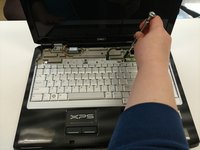
    2. Dell XPS M1730 Screen Replacement: step 5, image 1 of 2 Dell XPS M1730 Screen Replacement: step 5, image 2 of 2
      • Remove the four screws from the top of the keyboard bracket.

      Ask FixBot
      Add Comment

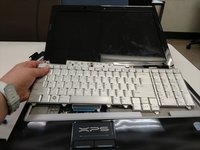
    3. Dell XPS M1730 Screen Replacement: step 6, image 1 of 3 Dell XPS M1730 Screen Replacement: step 6, image 2 of 3 Dell XPS M1730 Screen Replacement: step 6, image 3 of 3
      • Remove the keyboard by sliding it forward, off of the clips, and then lifting up.

      Ask FixBot
      Add Comment

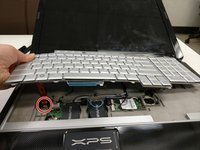
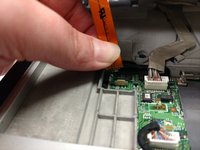
    4. Dell XPS M1730 Screen Replacement: step 7, image 1 of 3 Dell XPS M1730 Screen Replacement: step 7, image 2 of 3 Dell XPS M1730 Screen Replacement: step 7, image 3 of 3
      • Lift the keyboard about 2 inches up from the laptop platform.

      • From this angle the keyboard ribbon connector can be seen and disconnected.

      Ask FixBot

      Add Comment

    1. Dell XPS M1730 Screen Replacement, LCD Screen Display: step 8, image 1 of 1
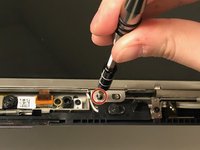
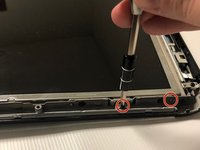
      • Remove 2 M2x3mm screws that are located at the bottom of the plastic bezel with a PH0 screwdriver.

      Ask FixBot

      Add Comment

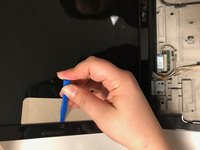
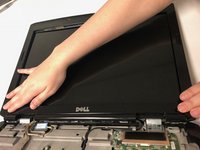
    2. Dell XPS M1730 Screen Replacement: step 9, image 1 of 3 Dell XPS M1730 Screen Replacement: step 9, image 2 of 3 Dell XPS M1730 Screen Replacement: step 9, image 3 of 3
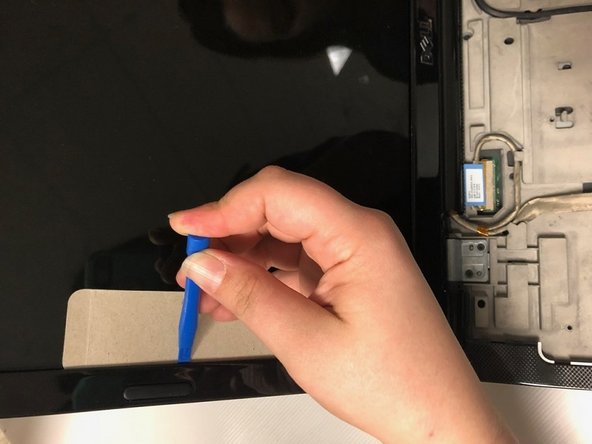
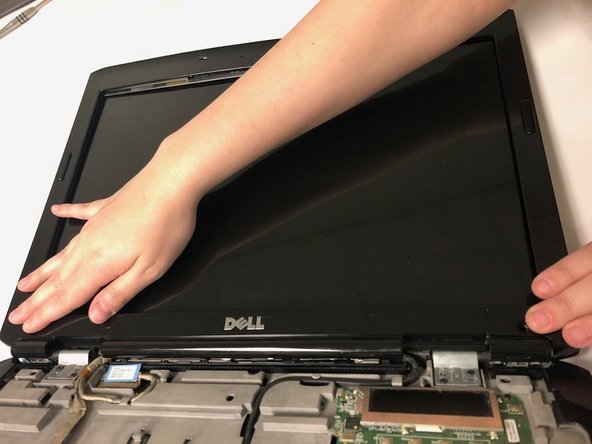
      • Use iFixit plastic tool and a cutout of cardboard to pry out the plastic bezel around the edges of the LCD screen

      Ask FixBot

      Add Comment

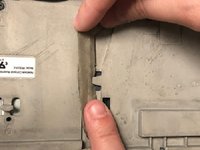
    3. Dell XPS M1730 Screen Replacement: step 10, image 1 of 3 Dell XPS M1730 Screen Replacement: step 10, image 2 of 3 Dell XPS M1730 Screen Replacement: step 10, image 3 of 3
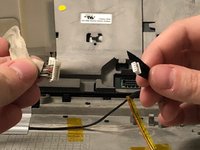
      • Disconnect the display connectors by removing them from the grooves and unplugging them.

      Ask FixBot
      Add Comment
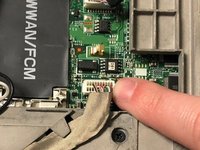
    4. Dell XPS M1730 Screen Replacement: step 11, image 1 of 3 Dell XPS M1730 Screen Replacement: step 11, image 2 of 3 Dell XPS M1730 Screen Replacement: step 11, image 3 of 3
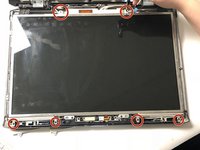
      • Remove 12 M2x3mm screws along the edge of the screen frame with a PH0 screwdriver.

      Ask FixBot

      Add Comment

    5. Dell XPS M1730 Screen Replacement: step 12, image 1 of 2 Dell XPS M1730 Screen Replacement: step 12, image 2 of 2
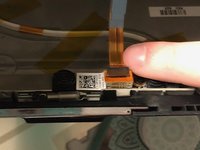
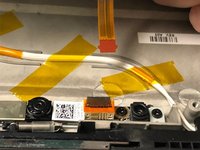
      • Disconnect the display connector behind the top of the screen.

      Ask FixBot

      Add Comment

Conclusion

To reassemble your device, follow these instructions in reverse order.

Cancel: I did not complete this guide.

2 other people completed this guide.

0 Guide Comments

Add Comment

View Statistics:

Past 24 Hours: 1

Past 7 Days: 5

Past 30 Days: 28

All Time: 1,666