Free Shipping on Domestic Orders $75+

Dell XPS M140 Hard Drive Disk (HDD) Replacement

What you need

    1. Dell XPS M140 Hard Drive Disk (HDD) Replacement, Battery: step 1, image 1 of 1
      • Turn over the laptop.

      Ask FixBot

      Add Comment

    2. Dell XPS M140 Hard Drive Disk (HDD) Replacement: step 2, image 1 of 3 Dell XPS M140 Hard Drive Disk (HDD) Replacement: step 2, image 2 of 3 Dell XPS M140 Hard Drive Disk (HDD) Replacement: step 2, image 3 of 3
      • Open the slide lock and pull out the battery.

      Ask FixBot

      Add Comment

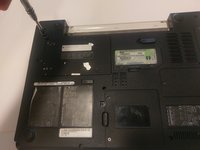
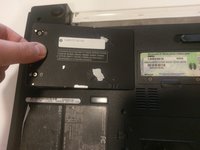
    1. Dell XPS M140 Hard Drive Disk (HDD) Replacement, Hard Disk Drive (HDD): step 3, image 1 of 2 Dell XPS M140 Hard Drive Disk (HDD) Replacement, Hard Disk Drive (HDD): step 3, image 2 of 2
      • loosen the two screws that secure the hard drive cover.

      • The screws won’t come out fully. Once you feel like the door is loose enough, it should come right off.

      Ask FixBot

      Add Comment

    2. Dell XPS M140 Hard Drive Disk (HDD) Replacement: step 4, image 1 of 1
      • Remove the old HDD from the casing. This is done by simply sliding it out.

      Ask FixBot

      Add Comment

Conclusion

To reassemble your device, follow these instructions in reverse order.

Cancel: I did not complete this guide.

Travis Morazzini

Member since: 03/20/17

207 Reputation

2 Guides authored

Team

0 Guide Comments

Add Comment

View Statistics:

Past 24 Hours: 1

Past 7 Days: 4

Past 30 Days: 29

All Time: 1,453