
Dell XPS M140 CPU Heatsink Replacement

Brian Dougenik and 5 other contributors
Last updated on Jul 1, 2025
Views: 654
View statistics:
- Past 24 Hours:
- 4
- Past 7 Days:
- 21
- Past 30 Days:
- 88
- All Time:
- 654
Comments: 0
No one has left comments on this guide. Will you be first?
Go to guide commentsCompleted: 1 2
1 person has marked this guide "completed." Will you be next?
2 people have marked this guide "completed." Including you — great job!
Favorites: 0 1
No one has favorited (and subscribed to) this guide. Will you be the first?
1 person has favorited (and subscribed to) this guide — and that's you!
Introduction
Go to step 1 ↓In this guide, you'll be able to safely and correctly remove/replace the Microprocessor Thermal-Cooling Assembly (also known as CPU heatsink) on your Dell XPS M140 laptop, if needed. This Step-by-step guide provides detailed imaging of disassembly, cautioning of notable components, and exact notations for accessing the Dell XPS M140 Microprocessor Thermal-Cooling Assembly.
What you need
Tools

-
-
-
-
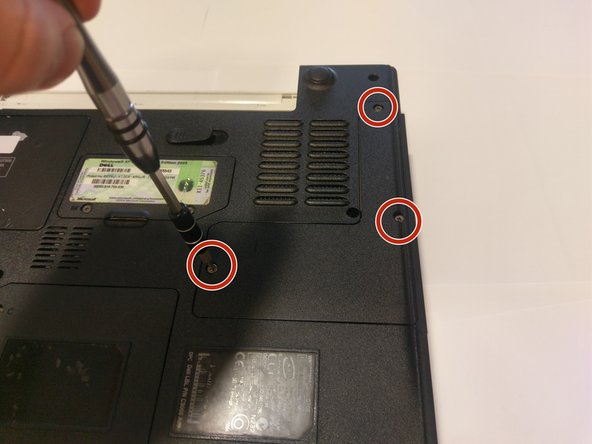
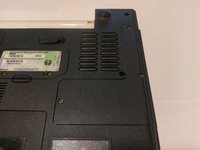
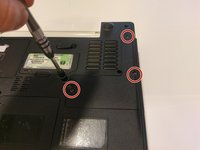
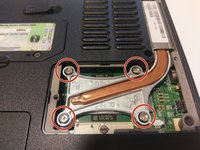
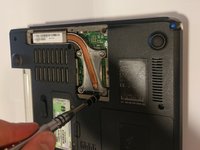
Unscrew all of the screws on the underside of the computer that hold the cooling module cover in place and remove the cover.
-
-
-

 Ask FixBot






To reassemble your device, follow these instructions in reverse order.
Cancel: I did not complete this guide.
One other person completed this guide.

Team

UMass Dartmouth, Team S9-G5, Martin Spring 2017 Member of UMass Dartmouth, Team S9-G5, Martin Spring 2017
UMASSD-MARTIN-S17S9G5
4 Members
60 Guides authored
