Introduction
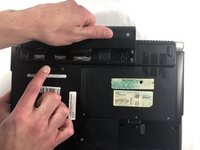
Is your Dell XPS M1330 not turning on or not holding a charge properly? If so, here is a 2 step guide that will allow you to disassemble and replace the existing battery.
What you need
-
-
-
-
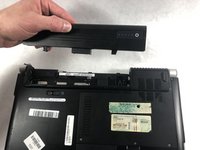
Lift the computer up and slowly pull the battery straight out from the device.
-

 Ask FixBot


Conclusion
To reassemble your device, follow these instructions in reverse order.

Team

UMass Dartmouth, Team S6-G2, Peak Spring 2019 Member of UMass Dartmouth, Team S6-G2, Peak Spring 2019
UMASSD-PEAK-S19S6G2
3 Members
60 Guides authored
