Introduction
The sound card is responsible for most of the audio functions on a computer. This guide will help users remove and replace the sound card in the Dell XPS 720 H2C.
-
-
Remove the cover panel on the side of the computer by pulling out the latch on the back panel and pulling the panel downwards towards the ground.
 Ask FixBot
-
-
-
Before handling the inside of the computer, ensure that all wires are disconnected from the audio ports along the back panel.
-
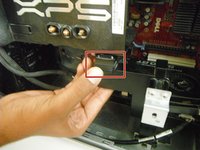
The sound card is located towards the bottom of the computer, near the righthand side (see red outline).
-
-
-
-
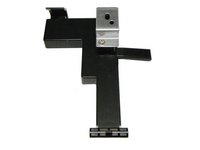
To remove the support below the processor: press down on the latch at the top of the support, then pull the support outwards, towards yourself.
-
-
-
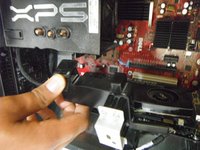
To unplug the wire that connects the sound card to the motherboard: grasp the wire tightly and pull it outwards, towards yourself.
-
-
-
To release the sound card from the motherboard casing: find the blue tab that is the third from the bottom (fifth from the top), and press down and to the right on the tab.
-
-
-
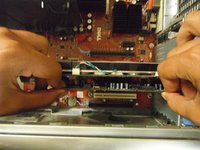
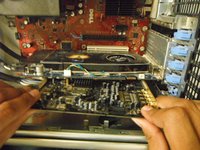
To remove the sound card from the motherboard: gently grasp the sound card and pull directly outward, towards yourself.
-




To reassemble your device, follow these instructions in reverse order.
Cancel: I did not complete this guide.
One other person completed this guide.

